
Features · Reporting
The run, in a form you can send to someone
Any completed scan renders on the server as a PDF, in three cuts: the problems, the strengths, or both. The issue list, the pages failing one check and a page's full report all export to CSV.
The parts
What this is made of
Each of these corresponds to a screen or an endpoint you can open today.
- Export is on every paid plan.
- A past scan exports as it was, not as the site is now.
- 01
Three cuts, one run
Issues for the person fixing it, strengths for the person who asked whether it was worth doing, full for the file.
- 02
Rendered server-side
The PDF is the whole run rather than the page you happened to be on, which is the difference between a report and a screenshot.
- 03
CSV wherever there is a list
The issue list, the pages failing one check, and a page's own report.
- 04
Named by the API
The filename is decided server-side, so a folder of exports from six months is sortable.
In the product
Where you meet it
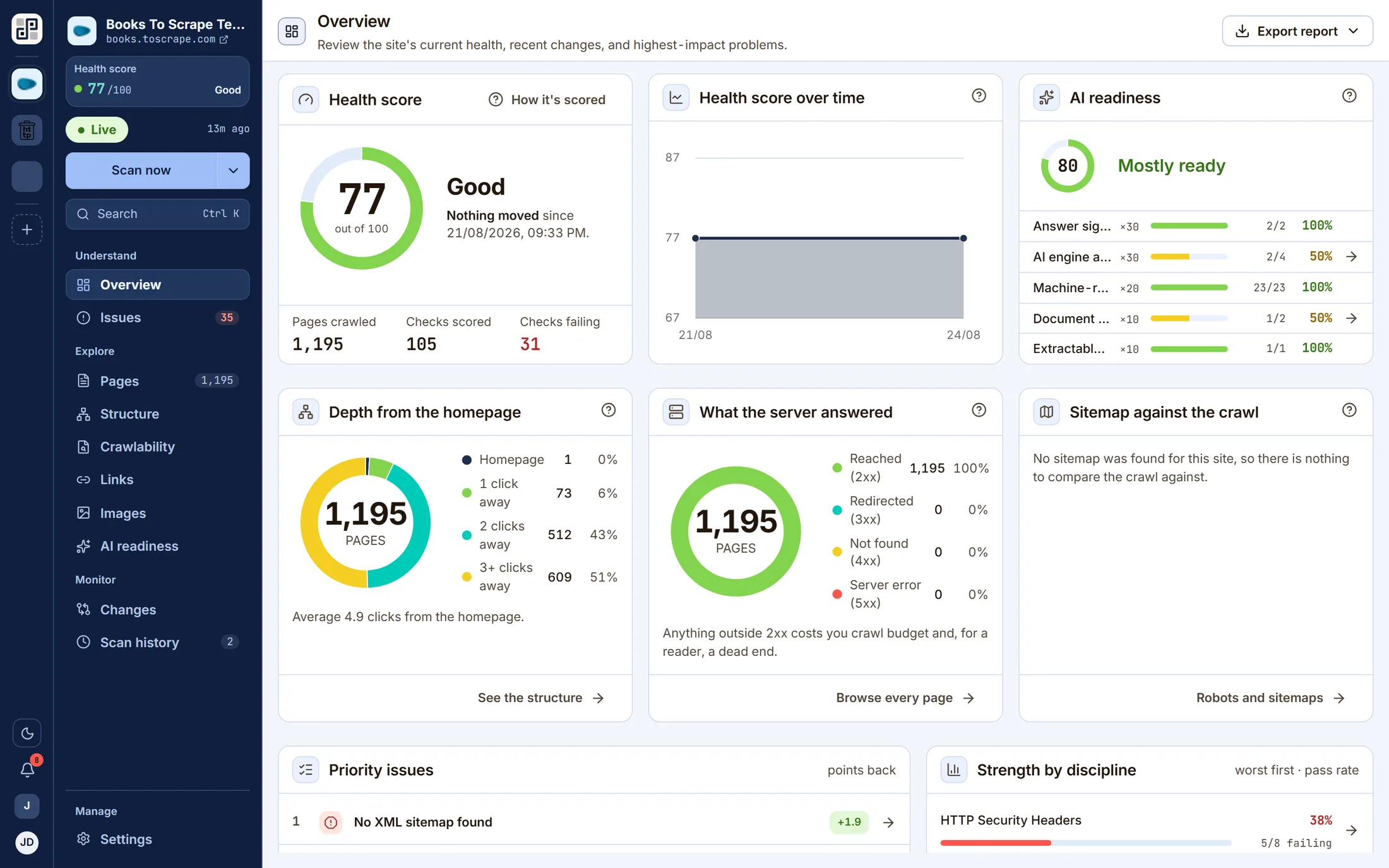
Captured from the running app, against a real crawl.
Where the line is
What this does not do
You would find out on the trial either way. This is cheaper for both of us.
No white-label branding and no scheduled report delivery.
One of these a blocker for you? Tell us — it is the most useful thing we can hear.
Keep going
The other five capabilities
Each is a page like this one, with its own list of what it will not do.
Scheduled monitoring
Put a site on a daily, weekly or monthly schedule in your own timezone and PixyScan re-crawls it without anyone opening the app.
Read itThe technical audit
Every discipline runs on every crawled page, producing a health score out of 100 weighted by severity.
Read itInventory you can interrogate
Pages, structure, crawlability, links, images and AI readiness are lenses on the same dataset — not separate scans and not separate products.
Read itA gate in your pipeline
Issue a per-site client secret, run one CLI command from CI, and read an exit code.
Read itWorkspaces, sites and roles
A workspace holds sites, members and the subscription.
Read it
Run it against your own site
One site free, 500 URLs a month, no card. The second scan is where this starts being useful.
Free plan · 1 site · 500 URLs a month · all 100+ checks · no card