
Product · Explore
Every URL the crawl found
The full inventory, with status code, findings count and depth from the homepage. Search it, filter by status, and open any row for that page's complete report — title and meta with lengths, the heading outline, readability, links, images, JSON-LD, headers and the HTML head.
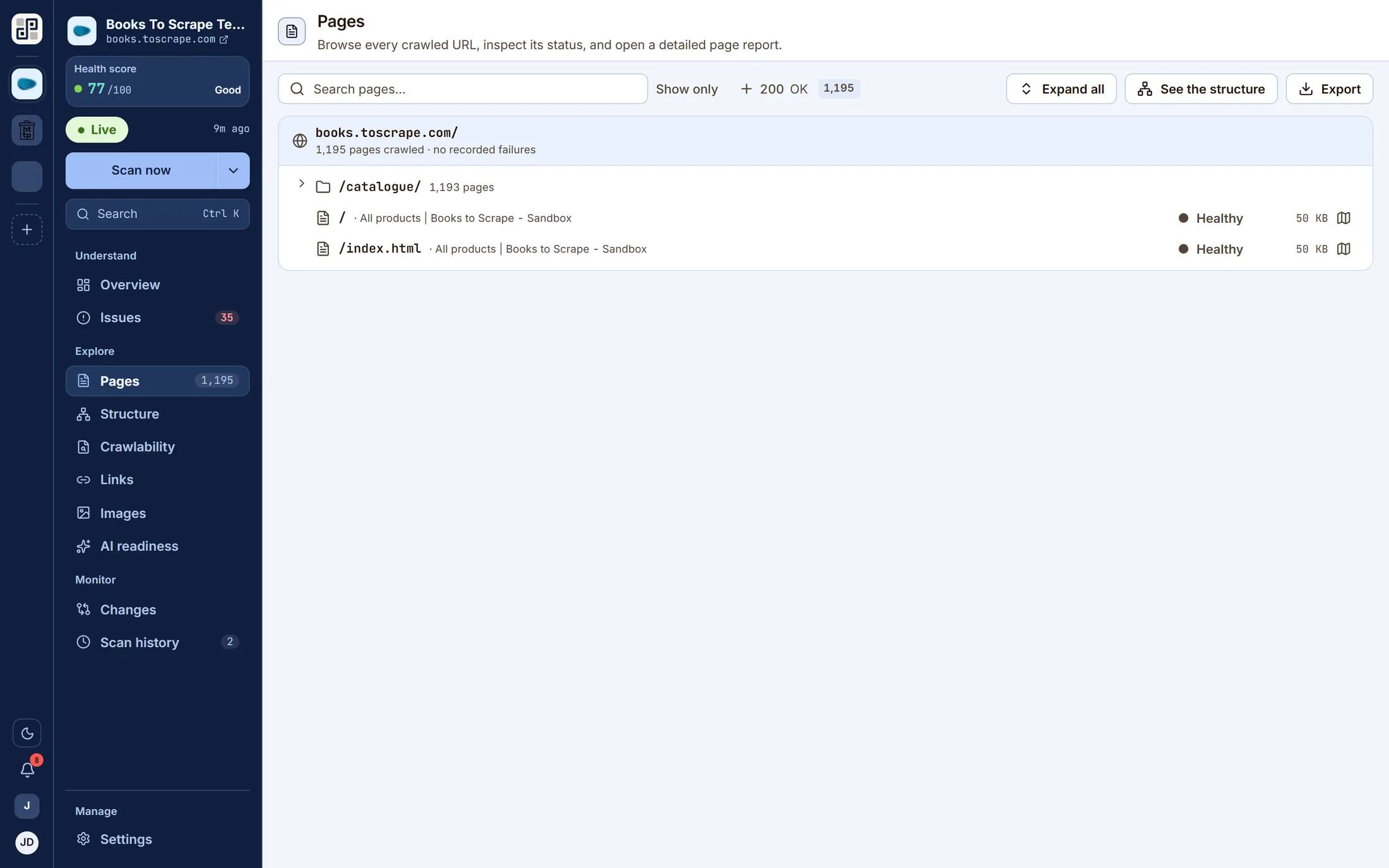
Also on this screen
4 more views of the same data
Behind the tabs on the capture above. Same crawl, same run — a different question asked of it.
- app.pixyscan.com/w/…/s/…/pages
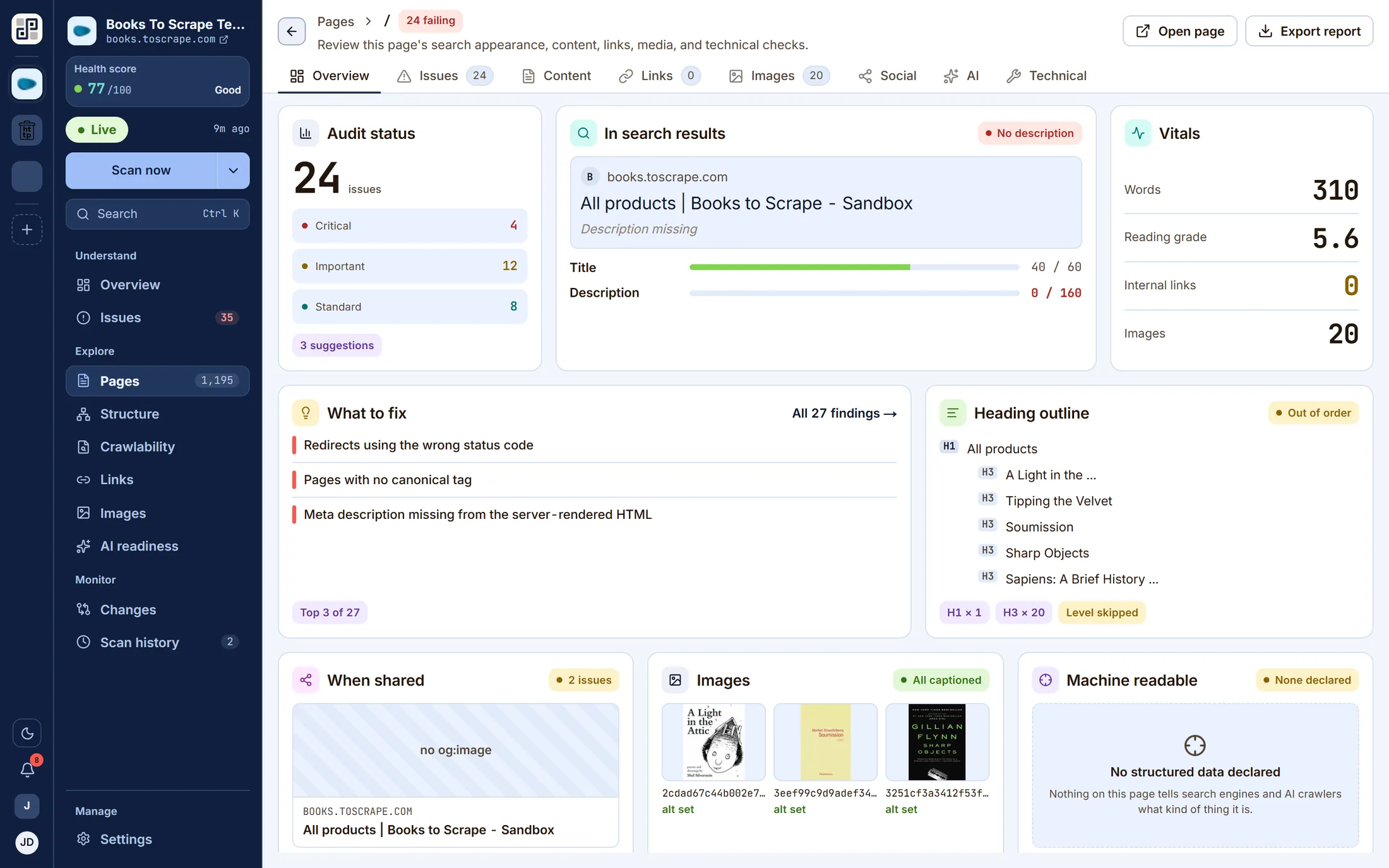
A page report: search appearance with title and description meters, vitals, and what to fix on this URL. - app.pixyscan.com/w/…/s/…/pages
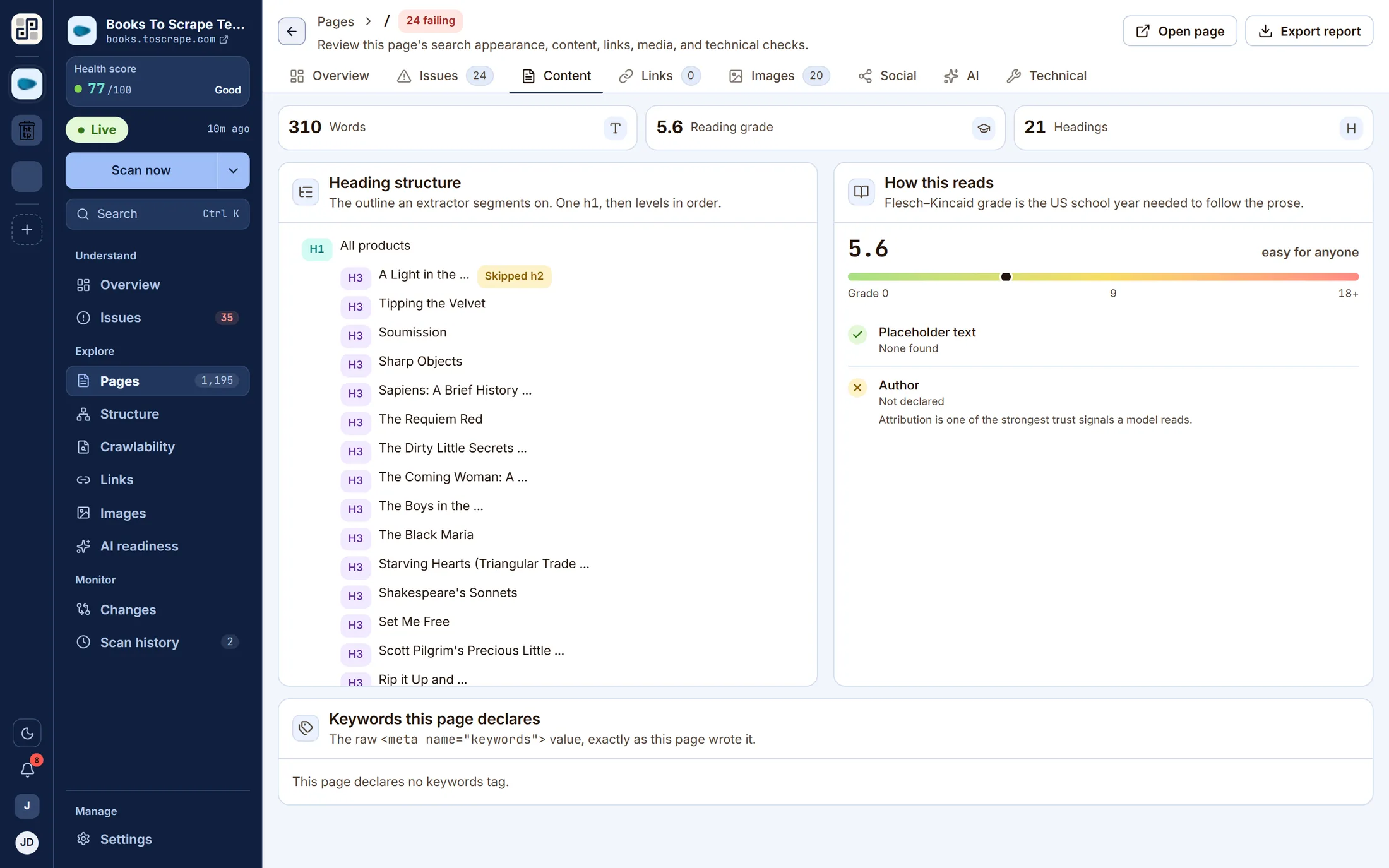
The Content tab — heading outline, readability grade, word count and the images on the page. - app.pixyscan.com/w/…/s/…/pages
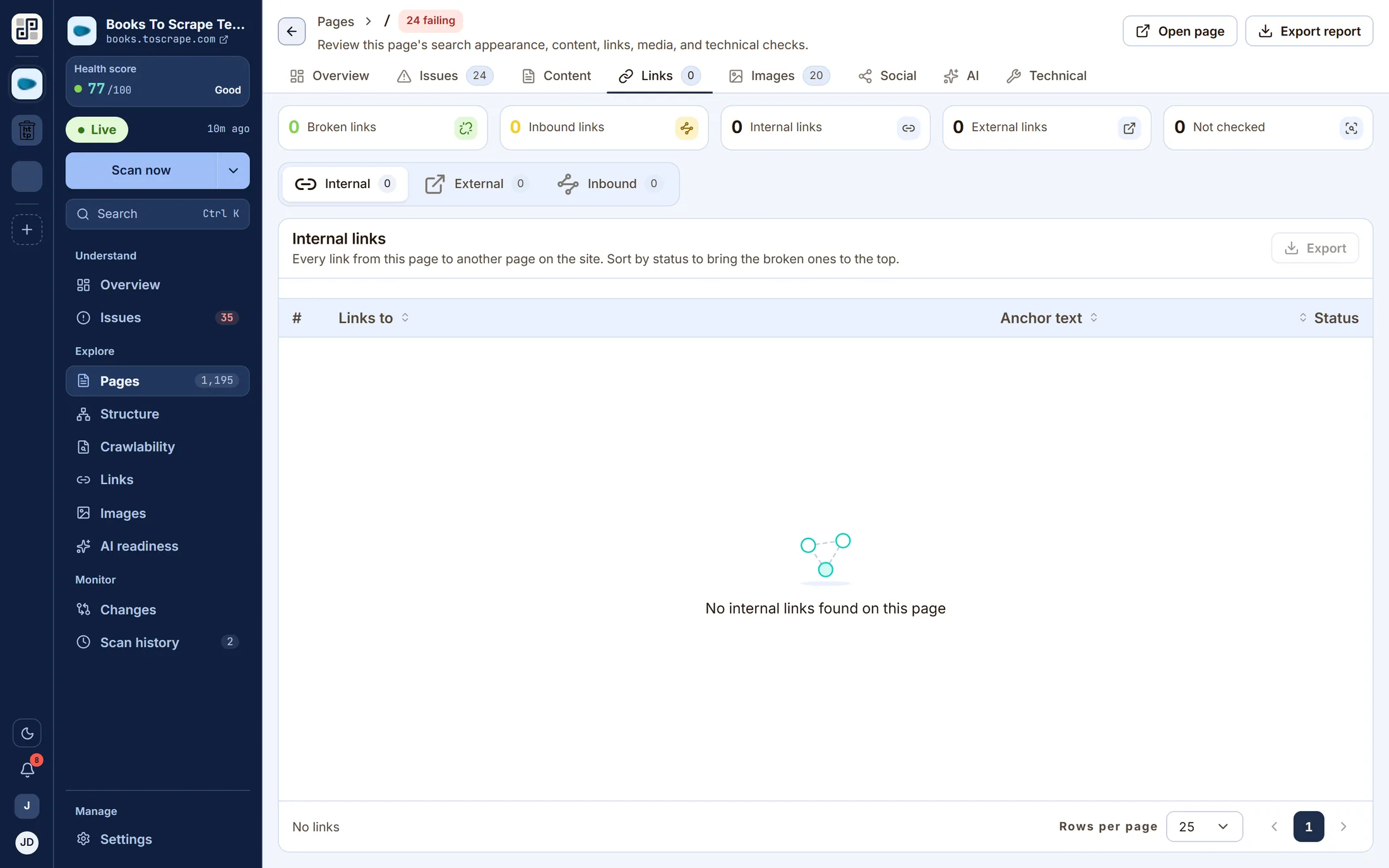
The Links tab — every internal and external link with its anchor text and status code. - app.pixyscan.com/w/…/s/…/pages
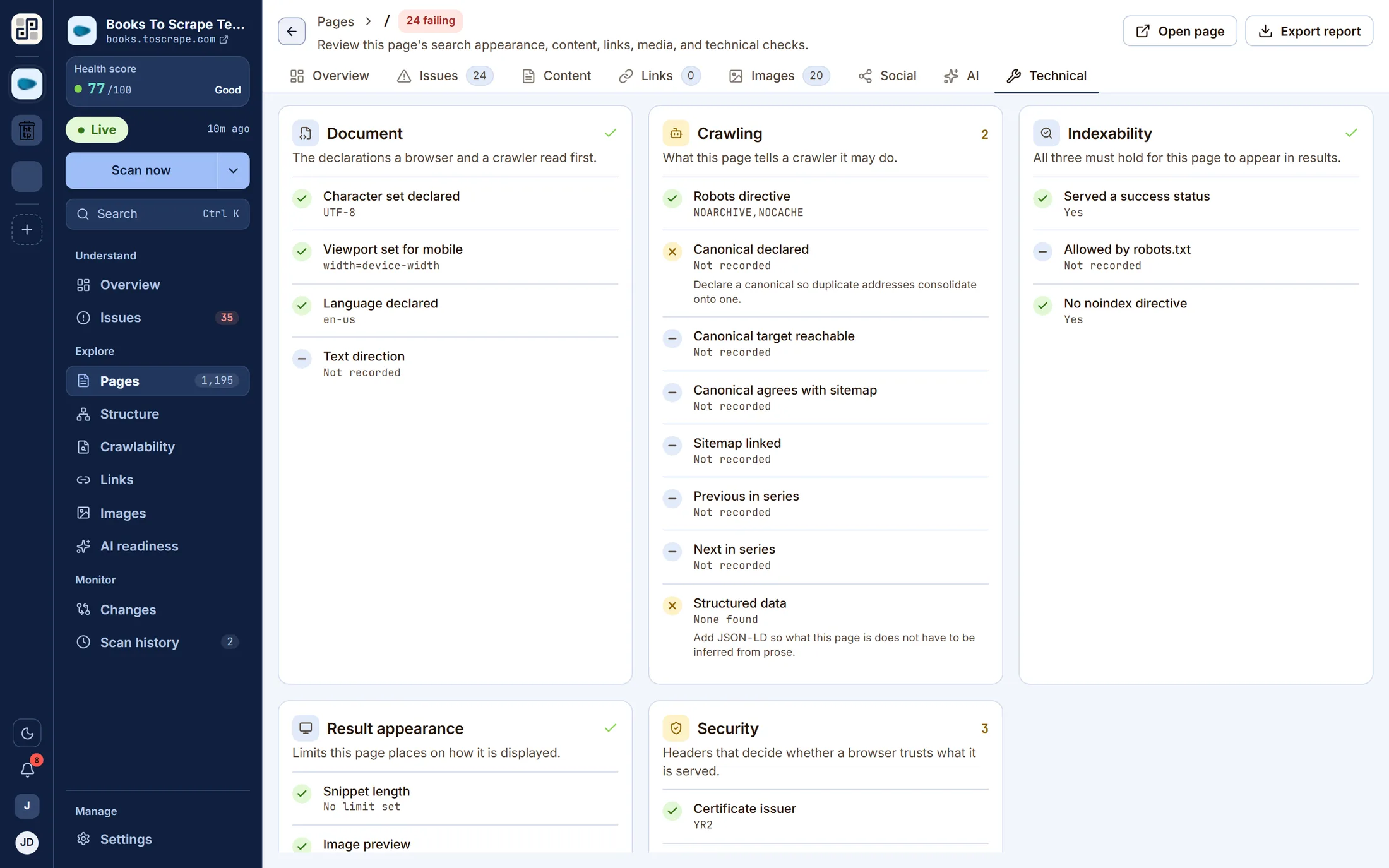
The Technical tab — security headers, canonicals, hreflang, robots directives and the full HTML head.
What it answers
The questions this screen exists for
If none of these is a question you have, this is not the lens you want — one of the other ten probably is.
- 01Which pages did the crawler reach, and which did it not?
- 02Which URLs are answering something other than 200?
- 03How far from the homepage is this page?
- 04What exactly is recorded about this one URL?
On the screen
What you actually get
Four things, each of which is visible in the capture above.
A searchable tree of the crawl, so a section is one filter away rather than a scroll.
A page report per URL across seven tabs, including a live search-result preview.
“When shared” renders the Open Graph card the way a social platform would.
The Technical tab holds headers, canonicals, hreflang and robots directives.
Behind it
The checks that feed this screen
Every finding on this lens comes from a check in the catalogue — and every one of those carries a written guide to putting it right, rendered beside the finding in the product.
- Page SEO BasicsTitles, meta descriptions, canonicals, H1–H6 structure, duplicate elements, indexability.
- HTML Head Tagscharset, viewport, html lang, robots directives, author, site verification, referrer policy.
- Content & ReadabilityPlaceholder copy left in the page — the lorem ipsum that shipped by accident.
The other lenses
One crawl, eleven readings of it
They are not separate scans. Each of these is the same dataset asked a different question.
See Pages against your own site
Connect one site free and run a crawl. Every lens on this page fills with your own pages within a few minutes.
Free plan · 1 site · 500 URLs a month · all 100+ checks · no card