

What's new, with dates
Every release of PixyScan, newest first. Each entry is labelled Added for a new feature, Changed for something that works differently, Fixed for a bug we corrected, or Removed for something we took out, such as a check.
- Latest
Scan data is now kept for a set time by tier, each site has its own alerts, and site lists show favicons.
- AddedScan data is now kept for a set time based on your tier: 30 days on Free, 180 days on Hobby, 1 year on Basic, 2 years on Pro and up to 10 years on Enterprise.
- AddedA Site alerts screen shows scan and score alerts for one site. The workspace-wide list is still there too.
- AddedYour site list now shows each site's own favicon.
- ChangedThe AI readiness panel shows the weight of each of its three factors. You can see which one lowered your score.
- ChangedInvitations and per-site permissions are stricter. A member can only reach what their role allows.
- ChangedThe billing screen explains more clearly what is charged.
app.pixyscan.com/w/…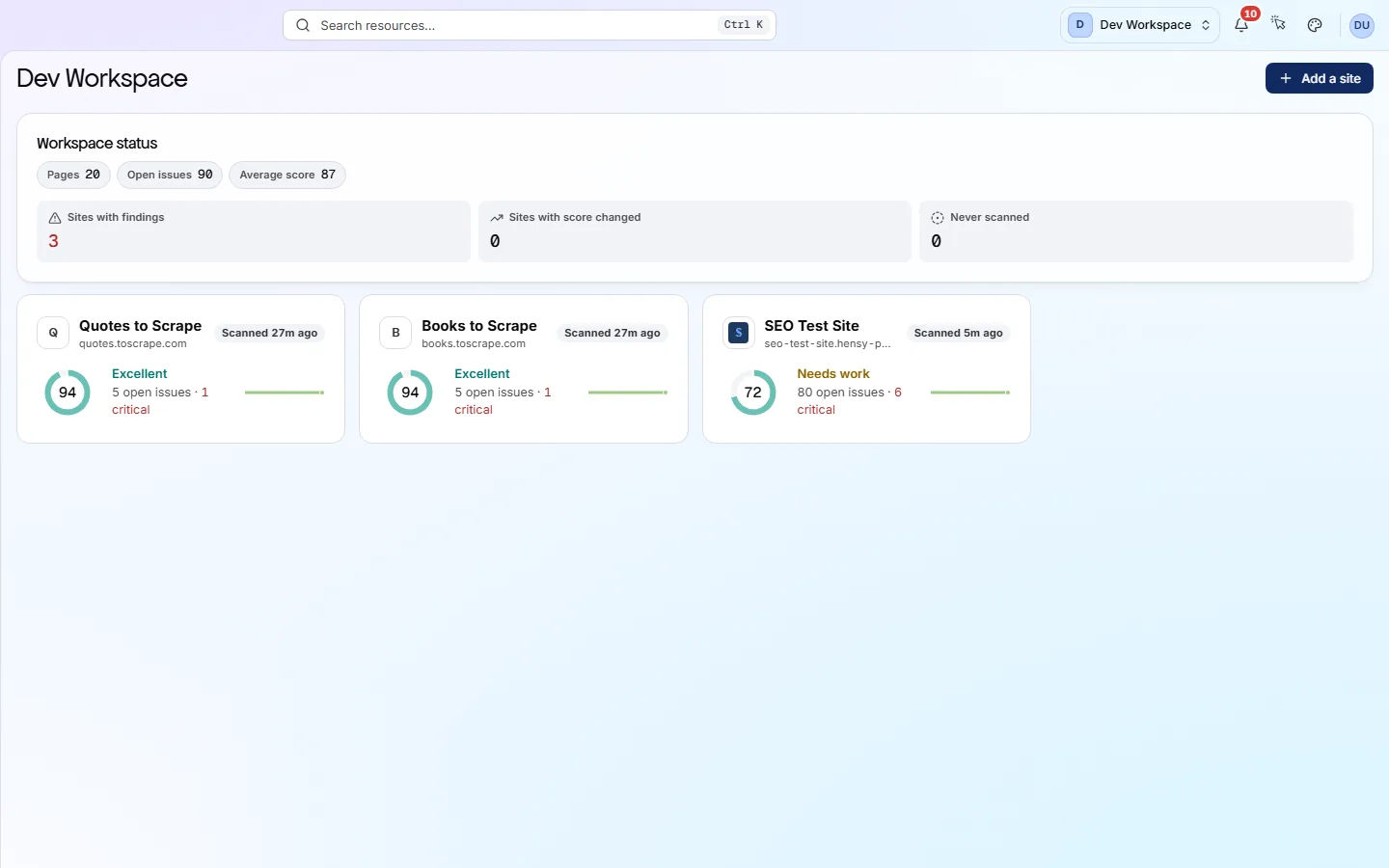
Each site in the list now shows its own favicon. The billing screens were redesigned, and the Links screen now shows inbound links.
- AddedThe Links screen now shows which pages link to each URL, not just where each page links out to.
- AddedUsage statistics on the billing screen show whether your credits will last the month.
- ChangedThe billing screen was redesigned. It now shows how long your data is kept on your tier.
- ChangedThe affected pages table inside each issue was rebuilt. It lists every URL where the problem was found.
- ChangedThe site sidebar shows the health score as a dial.
- FixedViewers no longer see a scan button they cannot use.
app.pixyscan.com/w/…/s/…/links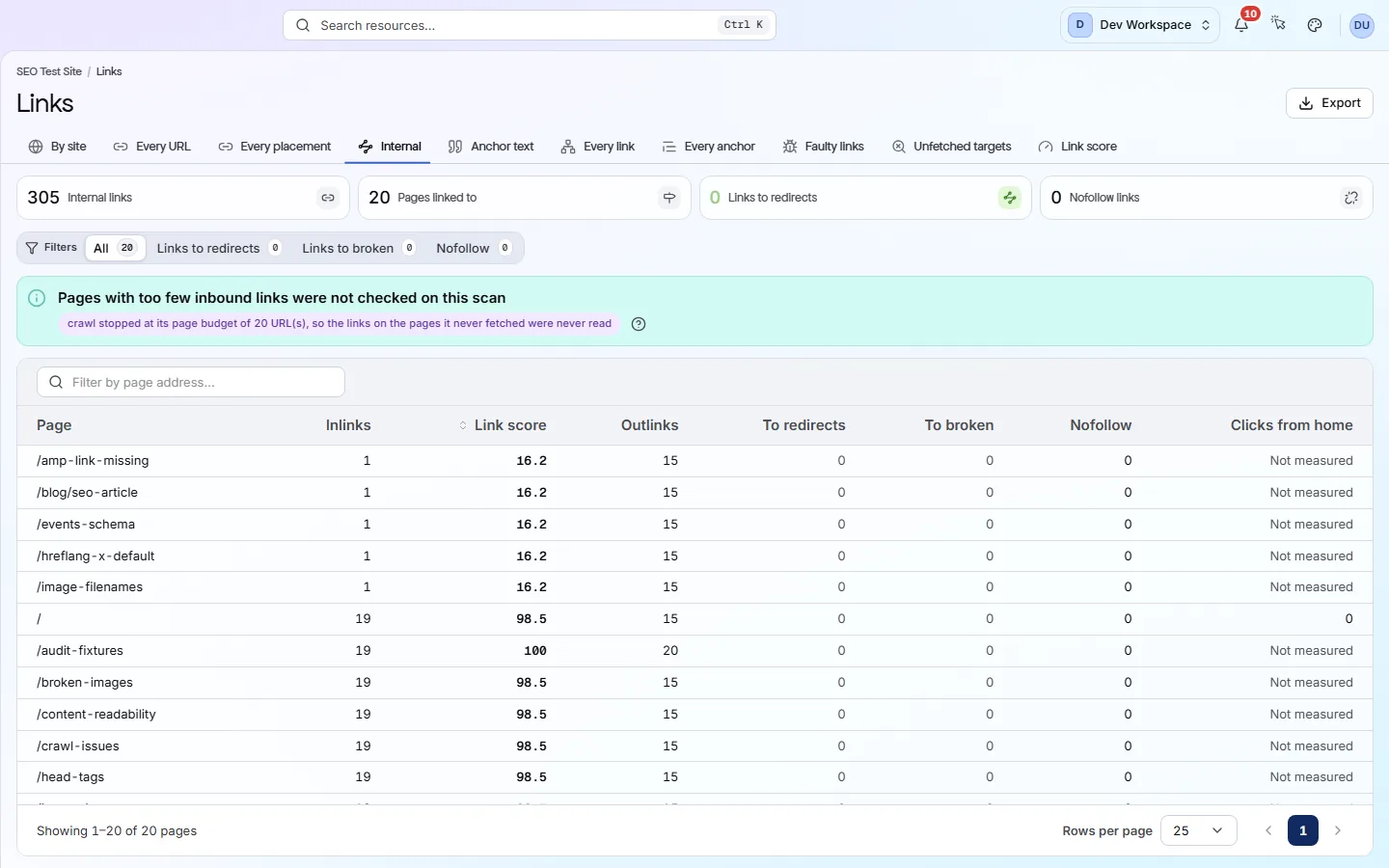
The new Inlinks column shows how many pages link to each page. You now have more control over which URLs each check covers and how fast the crawler goes.
- AddedCheck scopes let you limit a single check to certain URLs, or exclude URLs from it.
- AddedRate limit healing is a new site setting for servers that block fast crawls. It fetches pages one at a time, with a delay you set between them.
- FixedCrawl depth was shown too low on some sites.
- FixedThe status code filter now separates URLs that were never fetched from URLs that replied.
A new explainer shows how your health score is worked out, and two checks were removed.
- AddedA health score explainer shows how your score is worked out and how many points each problem costs.
- AddedLeaving a settings screen with unsaved changes now asks you first.
- RemovedWe removed the question_format_headings check, because how you word a heading is a style choice, not an error.
- RemovedWe removed the ordered_lists_howto check for the same reason: using a numbered list is a style choice, not an error.
app.pixyscan.com/w/…/s/…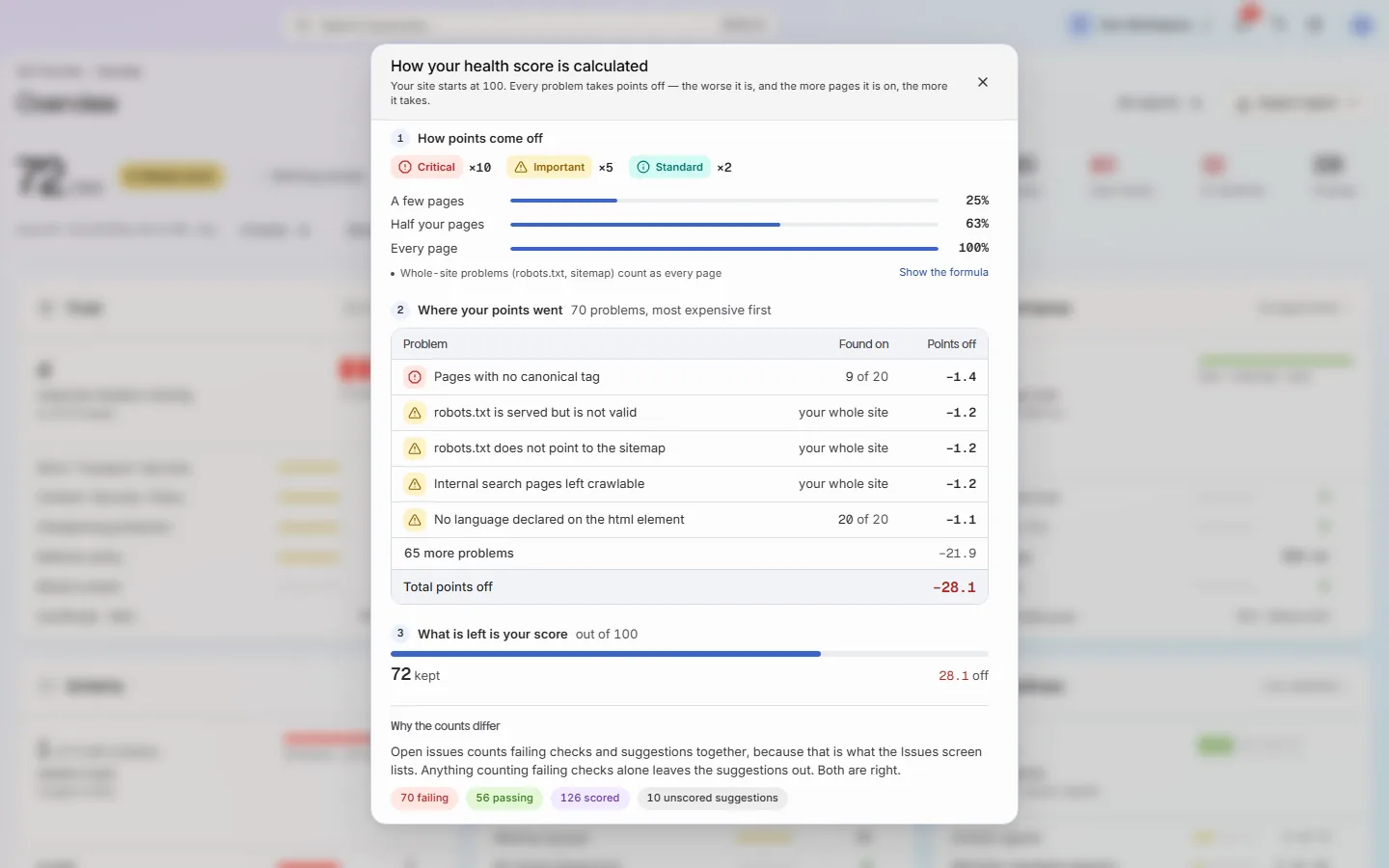
The explainer lists every problem with the points it costs, worst first. llms.txt is now checked for what it contains.
- AddedPixyScan now checks your llms.txt file (a guide to your site for AI tools). It checks the format and that the listed URLs still work.
- AddedProblems that affect the whole site, like robots.txt or the sitemap, now show their own evidence.
- ChangedScans now have clearer names in Scan history.
- ChangedSitemap handling was improved, including how PixyScan records where it found each URL.
app.pixyscan.com/w/…/s/…/issues/…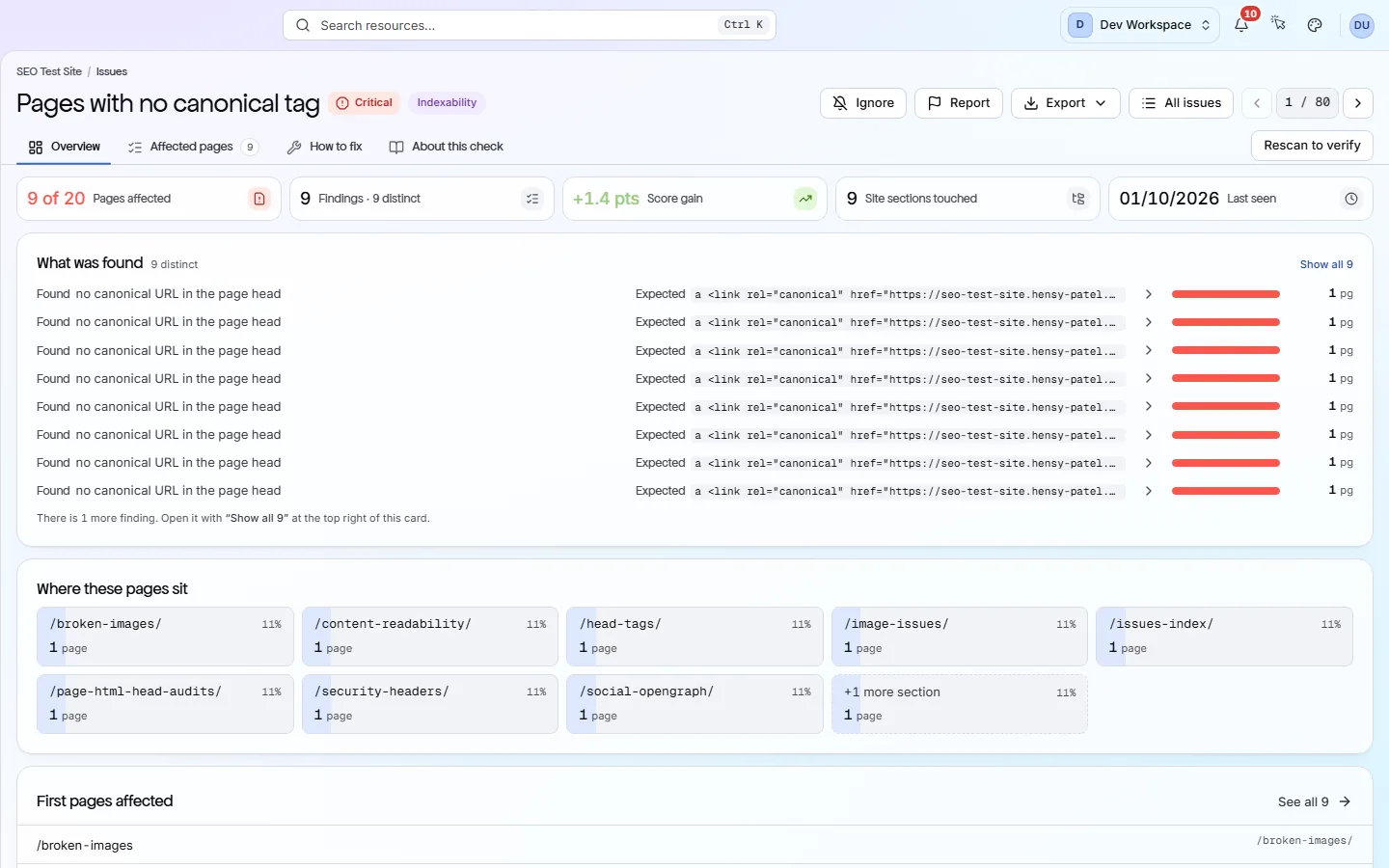
A site-wide problem names the hostnames involved in its evidence, instead of listing pages. Moving from your score to the pages behind it was redesigned.
- ChangedYou can now go from the score, to an issue, to the affected URLs, to each page's full report.
- ChangedFilters are now remembered when you move between screens.
app.pixyscan.com/w/…/s/…/pages/…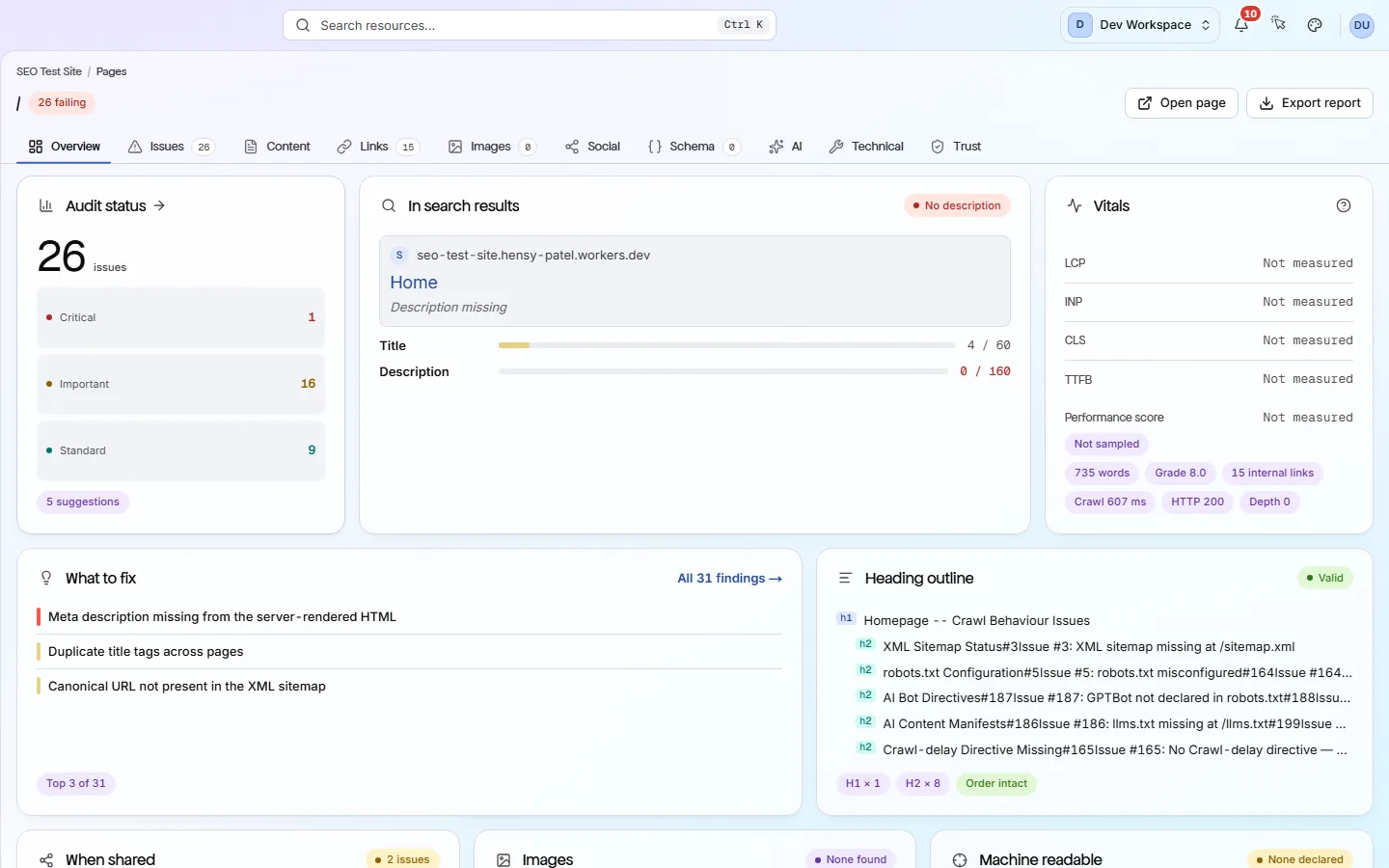
A page report shows everything the scan found about one page.
We started this changelog in August 2026, so changes made before then are not listed here.
To hear about new releases in a feed reader, add this page or the feed address pixyscan.com/rss.xml.
See what is wrong with your site
Add your site and get your score, your to-do list and a fix guide for every problem. Free for one site and 500 pages a month. No card, no time limit.
No card needed · Nothing to install · Cancel any time