

Keep your product pages healthy
One broken template can damage thousands of product pages at once. PixyScan shows how many pages each problem reaches, so you can tell a template fault from one bad product.
Does this sound familiar?
If this sounds like your week, read on. Below is how PixyScan helps.
- Filters and sort options create far more URLs than you have products.
- A theme update broke the product markup, and your rich results disappeared.
- Old products are still linked from category pages, leading shoppers to dead ends.
How PixyScan helps
How PixyScan helps
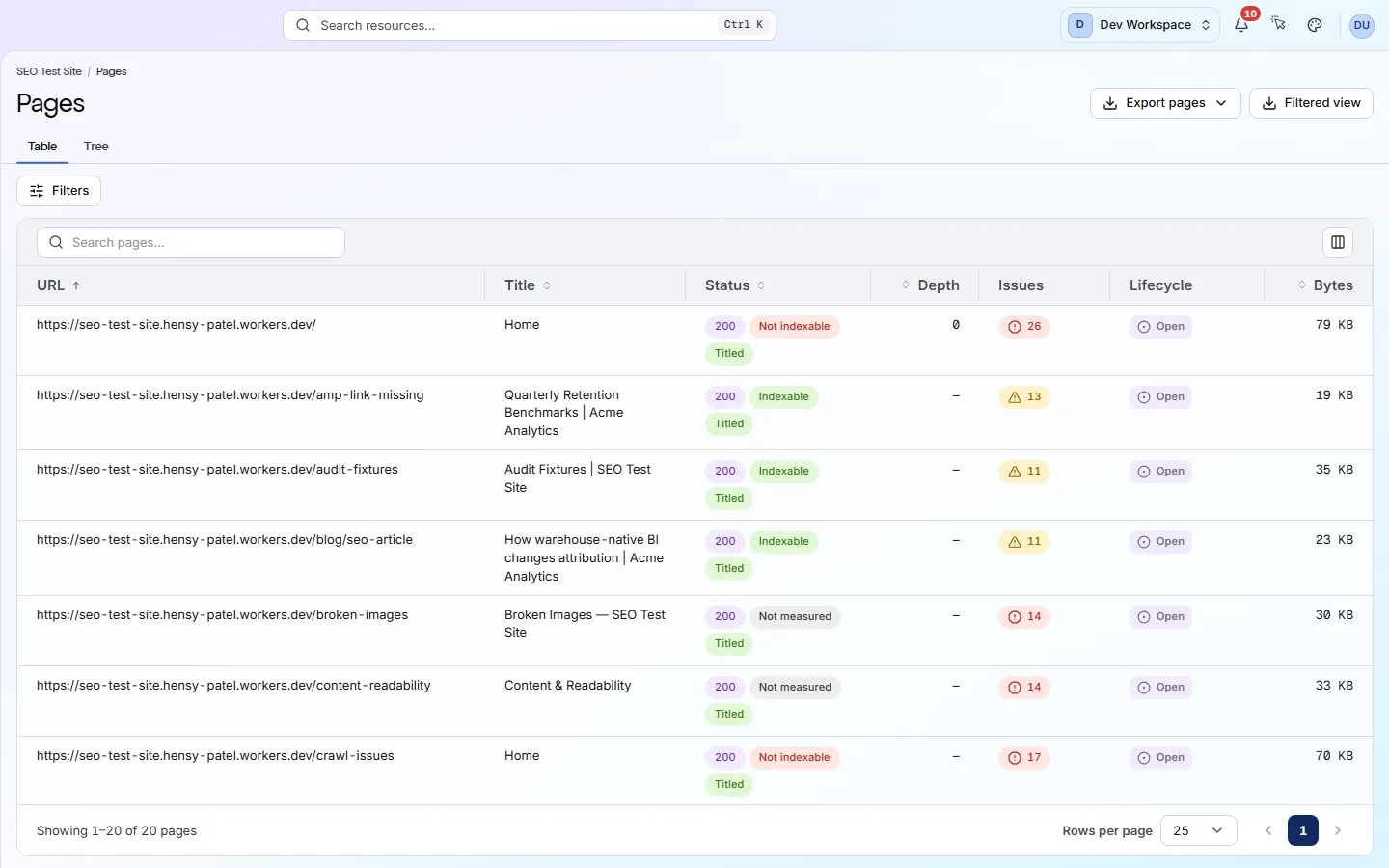
Each card is a real screen in the app: what you see there and what you do with it.
- 01
Spot template problems fast
Each problem shows how many pages it affects. A problem on 4,000 of 4,200 pages comes from a shared template, so one fix clears it everywhere.
- 02
Check product markup
Structured data is code that tells search engines a page is a product, with its price and reviews. 22 checks flag missing Product markup, a Product without an Offer and a missing AggregateRating.
- 03
Handle filter URLs
Checks flag filter URLs that search engines can index, which turns every filter combination into its own page. Exclude patterns in Settings → Crawl keep scans on real pages.
Getting started
Get started in 3 steps
- Step 1
Set the page limit and exclusions
In Settings → Crawl, set how many pages each scan may cover and exclude filter and sort URLs. The scan then spends its budget on real product pages.
- Step 2
Fix the biggest problems first
On the Issues screen, look at the problems that affect the most pages. They usually come from one template, so one fix clears them all.
- Step 3
Scan on a schedule
Set a daily or weekly scan (Hobby and above). A template broken by a theme update then shows up in Changes within days.
Worth knowing
- Broken internal links and redirect chains are found on every tier.
- Images are checked for alt text, size and modern formats. Broken images are found from Hobby up.
- The Pages screen shows how many clicks each product is from the home page. Pages over three clicks deep are flagged.
- From Pro up, a real browser loads stores built with JavaScript.
What it doesn’t do
- No stock, price or revenue data. PixyScan reads your public pages, not your store's back end.
- No Shopify or other store connector.
- JavaScript rendering takes about 7.6 times longer, so use it only if your product pages need it.
Start with Basic or Pro
Basic ($39 a month) scans up to 10,000 pages at a time, which covers most stores, and adds the CI/CD check for theme releases. Pro ($129 a month) scans 15,000 pages at a time and renders JavaScript storefronts. Bigger catalogues need Enterprise.
FAQ
Questions you might have
Do I need to install an app or plugin in my store?
No. PixyScan reads your store from the outside, like a search engine does. It never changes your store.
Our product pages load with JavaScript. Will PixyScan see them?
Yes, from Pro up, with JavaScript rendering switched on in Settings → Crawl. On other tiers it reads the HTML your server sends, which suits server-rendered stores.
Can it scan our whole catalogue?
Each scan covers up to 500 pages on Free, 5,000 on Hobby, 10,000 on Basic and 15,000 on Pro. Exclude patterns help you spend that on the pages that matter.
Does it know about stock or prices?
No. It checks that your product markup is present and valid, including the price in the Offer. It does not connect to your store or see stock or revenue.
See what is wrong with your site
Add your site and get your score, your to-do list and a fix guide for every problem. Free for one site and 500 pages a month. No card, no time limit.
No card needed · Nothing to install · Cancel any time