

Find broken links before your visitors do
PixyScan checks the links on every page it scans. With a weekly schedule, you see which links broke since last time, not the whole list again.
Does this sound familiar?
If this sounds like your week, read on. Below is how PixyScan helps.
- You don't know how many of your outside links now lead to dead pages.
- You only hear about a broken page when a visitor bothers to tell you.
- Long redirect chains still work, so nobody fixes them, but each hop slows the page.
How PixyScan helps
How PixyScan helps
Each card is a real screen in the app: what you see there and what you do with it.
- 01
Broken links as problems
Broken internal and outside links appear on the Issues screen with every page that has them. They lower your score until fixed.
- 02
Outside links by site
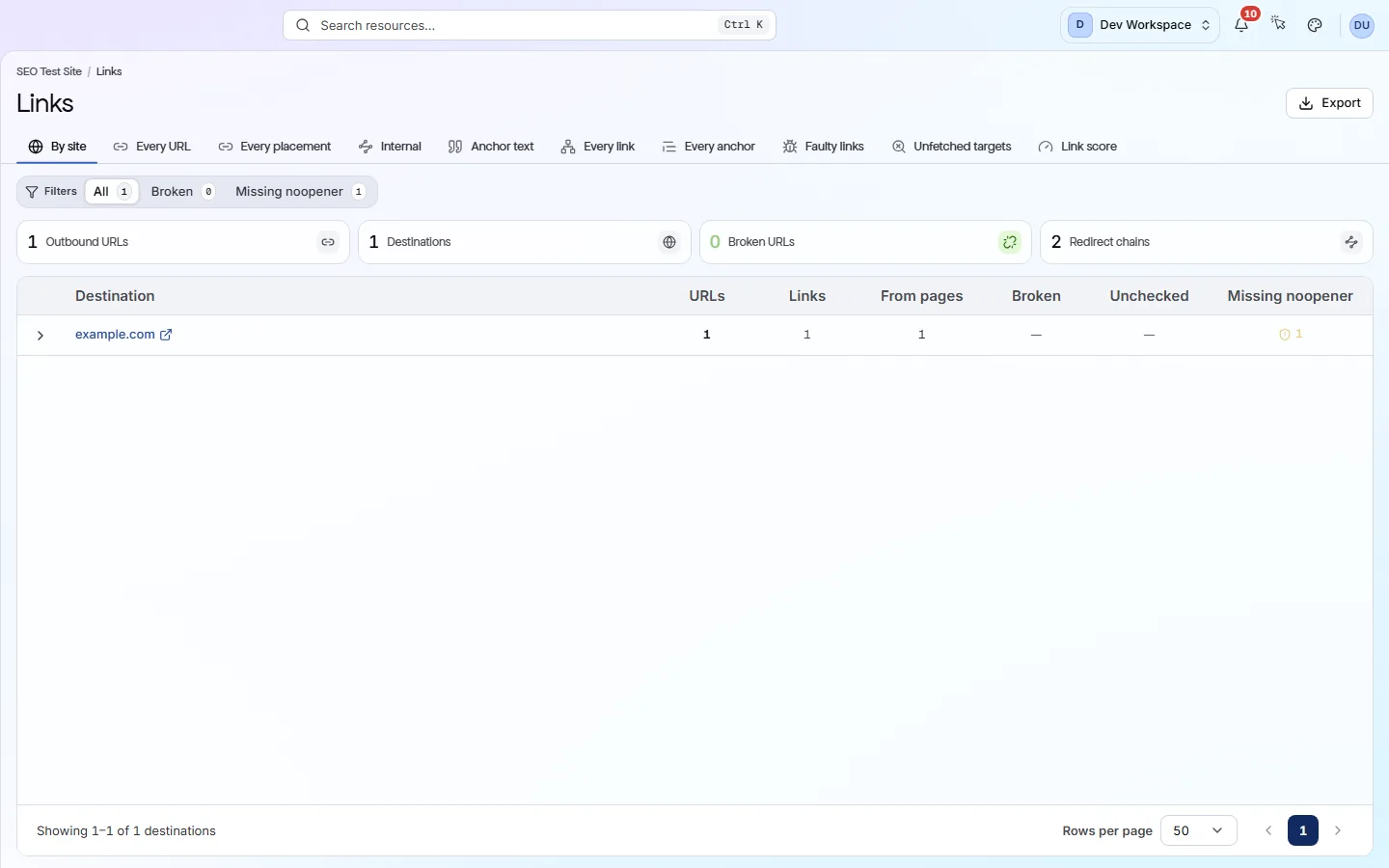
The Links screen groups outside links by the site they point to. Filter to Broken to spot a partner or tool that has gone away.
- 03
Redirect chains and loops
Redirects with several hops, or that loop forever, are flagged with every URL involved. Point each link straight at its final address.
Getting started
Get started in 3 steps
- Step 1
Run your first scan
Open the Links screen and filter to Broken. A broken link on many pages usually sits in a header or footer, so one fix clears it.
- Step 2
Set a weekly schedule
Put the site on a weekly schedule (Hobby and above). Each week, Changes shows the links that broke since last time.
- Step 3
Review outside sites
Group the Links screen by site to review every site you link to. Remove links to partners or tools you no longer use.
Worth knowing
- Outside links missing the rel=noopener safety attribute are listed separately.
- The clickable words (anchor text) are shown for each link.
- Weekly scans show which links broke since the last scan.
What it doesn’t do
- Broken internal links are found on every tier. Checking outside links and images starts on Hobby.
- It checks links on your own pages, not links on other sites that point to you.
Start with Hobby
Hobby ($19 a month) is the first tier that checks outside links and images, with 50,000 checks a month and weekly scans. Basic ($39 a month) gives 250,000 checks, and Pro ($129 a month) 1,000,000, for bigger sites.
FAQ
Questions you might have
Does it check every link?
Internal links are checked on every tier. Outside links are checked from Hobby up, using one link check each from your monthly allowance: 50,000 on Hobby, 250,000 on Basic and 1,000,000 on Pro.
Do broken links affect my score?
Yes. Broken internal and outside links lower your health score until they are fixed.
Can I get an email when a link breaks?
Not for one link. Alerts cover four events: scan finished, scan failed, score dropped and new critical problem. A weekly scan with a finished-scan alert works well.
Does it find links on other sites that point to me?
No. It checks links on your own pages only.
Screens and features to explore
See what is wrong with your site
Add your site and get your score, your to-do list and a fix guide for every problem. Free for one site and 500 pages a month. No card, no time limit.
No card needed · Nothing to install · Cancel any time