

Many sites and teams, one workspace
Keep every site your organisation runs in one place. Give each team access to its own sites only, and keep scan history for up to ten years.
Does this sound familiar?
If this sounds like your week, read on. Below is how PixyScan helps.
- You run dozens of sites, and nobody can see which ones got worse this month.
- Access is all or nothing, so teams end up sharing logins.
- Someone asks how a site looked last year, and the old audit is lost.
How PixyScan helps
How PixyScan helps
Each card is a real screen in the app: what you see there and what you do with it.
- 01
One view of every site
The workspace Overview lists every site with its health score. Alerts go to each site's own members, Slack channel or webhook, so the owning team hears first.
- 02
Access by team
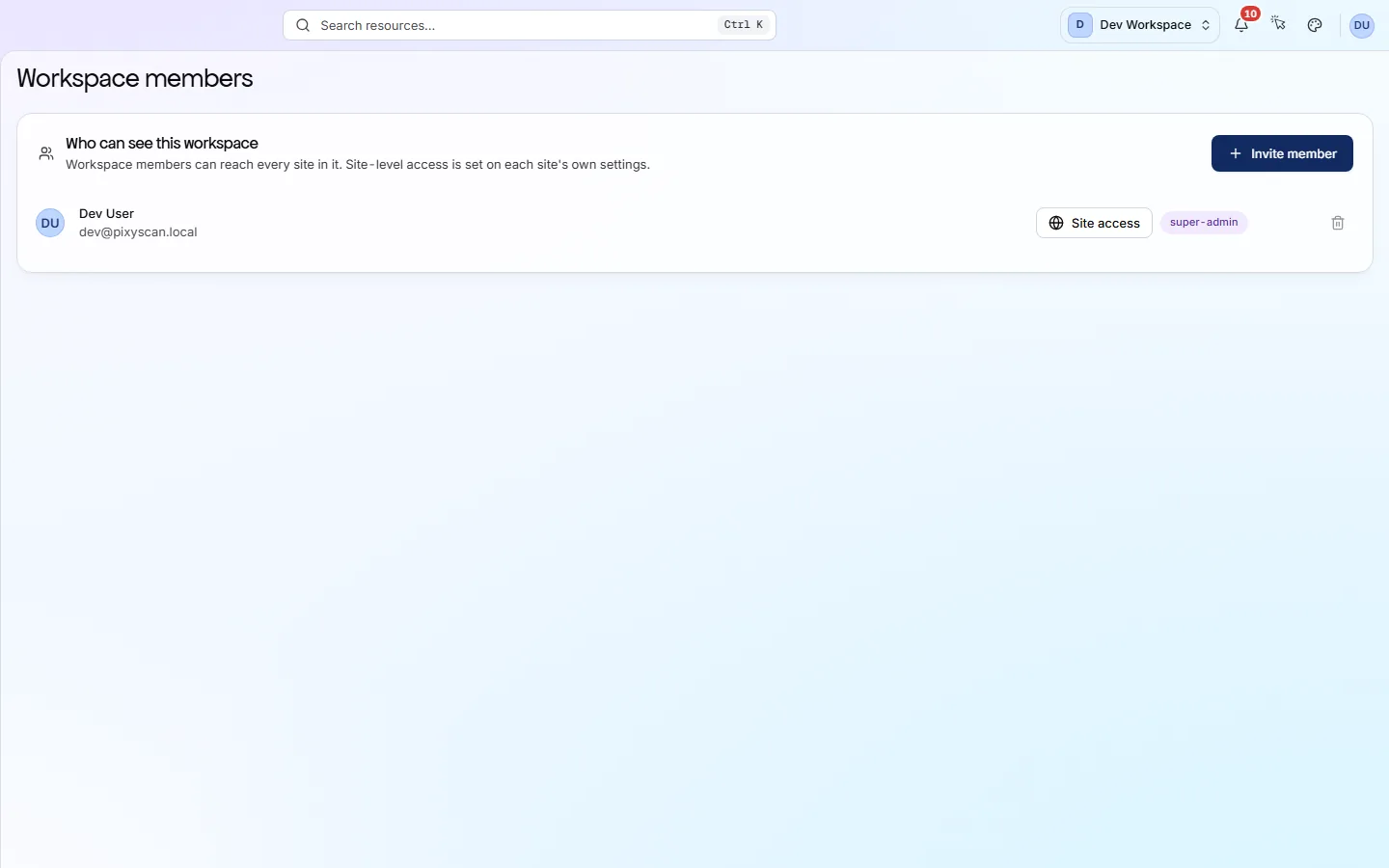
Invite people by email and give each a role: Admin, Member or Viewer. A role can cover the whole workspace or single sites, so each team sees only its own.
- 03
Long scan history
Every finished scan reopens in full whenever you need it. Pro keeps two years of history and Enterprise keeps ten.
Getting started
Get started in 3 steps
- Step 1
Add your sites
Add each property as a site in one workspace. Decide which team owns which sites first, because access is given per site.
- Step 2
Invite your teams
Invite people by email and give each a role (Admin, Member or Viewer) for the whole workspace or for their team's sites.
- Step 3
Set schedules and alerts
Put each site on a schedule. In Settings → Alerts, send its alerts by email, to a Slack channel or to a webhook.
Worth knowing
- No limits on sites, people, URL credits or scans running at once.
- All data is hosted in the European Union, in Frankfurt, Germany.
- Sign-in is email and password with a one-time code at sign-up, or Continue with Google.
- Each branch keeps its own scan history, so staging never mixes with your live site.
What it doesn’t do
- No single sign-on (SAML or OIDC) and no SCIM directory sync. Access is by invitation and role.
- No SOC 2 or ISO 27001 certification.
- No public REST API yet. Data leaves through exports, the CLI or the MCP server.
Start with Enterprise
Enterprise is priced by quote. It has no limits on sites, people or URL credits, and keeps ten years of scan history. If 25 sites and 10 people are enough, Pro ($129 a month) covers you, with two years of history, JavaScript rendering and white-label reports.
FAQ
Questions you might have
Where is our data hosted?
In the European Union, in Frankfurt, Germany. The data processing addendum and the list of subprocessors are linked in the site footer.
Do you support single sign-on (SSO)?
No. There is no SAML, OIDC or SCIM. People sign in with email and password, confirmed by a one-time code at sign-up, or with Continue with Google.
Do you have SOC 2 or ISO 27001?
No, PixyScan holds neither today. For how data is handled, start with the data processing addendum in the footer.
Is there an API for our data warehouse?
Not a public one yet. Export results as CSV, XLSX, JSON, Markdown or PDF and load those files. The CLI and the MCP server can also read results.
How is Enterprise priced?
By quote, per contract. Get in touch through the contact page to talk about your limits.
Screens and features to explore
See what is wrong with your site
Add your site and get your score, your to-do list and a fix guide for every problem. Free for one site and 500 pages a month. No card, no time limit.
No card needed · Nothing to install · Cancel any time