

User guide3 min
AI readiness
AI readiness is a score out of 100. It shows how easy your pages are for AI answer tools to fetch, understand and quote. It uses checks PixyScan already runs, so you raise it by fixing normal findings on the Issues screen.
How to get there#
Two ways in: the sidebar, or the figure at the top of the site overview.
- 1
Open AI readiness in the sidebar
It is in the Explore group, between Performance and Trust.
- 2
Or click AI readiness on the site overview
The site overview shows an AI readiness figure in the row of numbers at the top, next to Open issues and Findings. Click it to open this screen.
app.pixyscan.com/w/…/s/…/ai-readiness
Read the score#
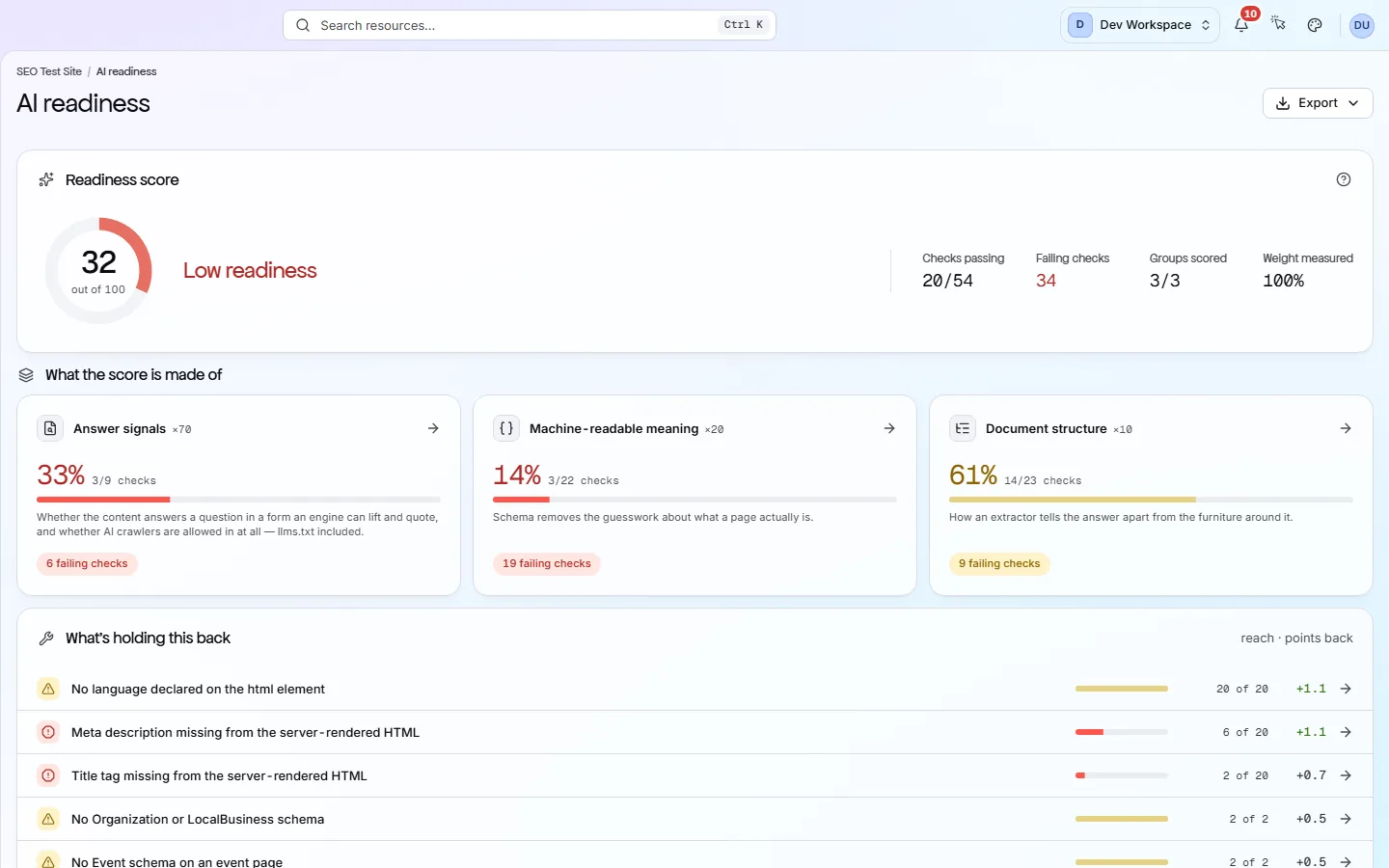
The Readiness score card shows the number, a band word, and four counts that explain it.
| Field | Range | What it does |
|---|---|---|
| Ready | 90 to 100 | AI answer tools should have little trouble reading and quoting your pages. |
| Mostly ready | 75 to 89 | The basics are in place. A few failing checks hold the score back. |
| Needs work | 50 to 74 | Several important signals are missing. Start with the failing checks lower down. |
| Low readiness | Under 50 | Most signals are missing or failing. Fix the Answer signals group first, because it counts the most. |
Next to the score, Checks passing and Failing checks count the checks in the three groups. Groups scored shows how many of the three groups ran on this scan. Weight measured shows how much of the total weight that covers.
What if a group did not run? It is left out of the score, not counted as zero. The score only describes what was measured.
The three groups#
Each group is a category of existing checks, and each counts for a different share of the score.
| Field | Weight | What it does |
|---|---|---|
| Answer signals | ×70 | Checks from the Content & Answers category: enough readable body text, answers written in a form a tool can quote, and llms.txt files that are present and valid. |
| Machine-readable meaning | ×20 | Checks from the Structured Data category. Structured data is code on the page that tells machines exactly what the page is, such as an article, a product or an organisation. |
| Document structure | ×10 | Checks from the On-Page category, such as a single H1 (main heading) and headings that do not skip levels. These help a tool tell the answer apart from the menus around it. |
Each group's pass rate is multiplied by its weight. The total is divided by the weight that ran. A group card with failing checks links to Issues, filtered to that category, so you can work through them.
Lower on the same screen
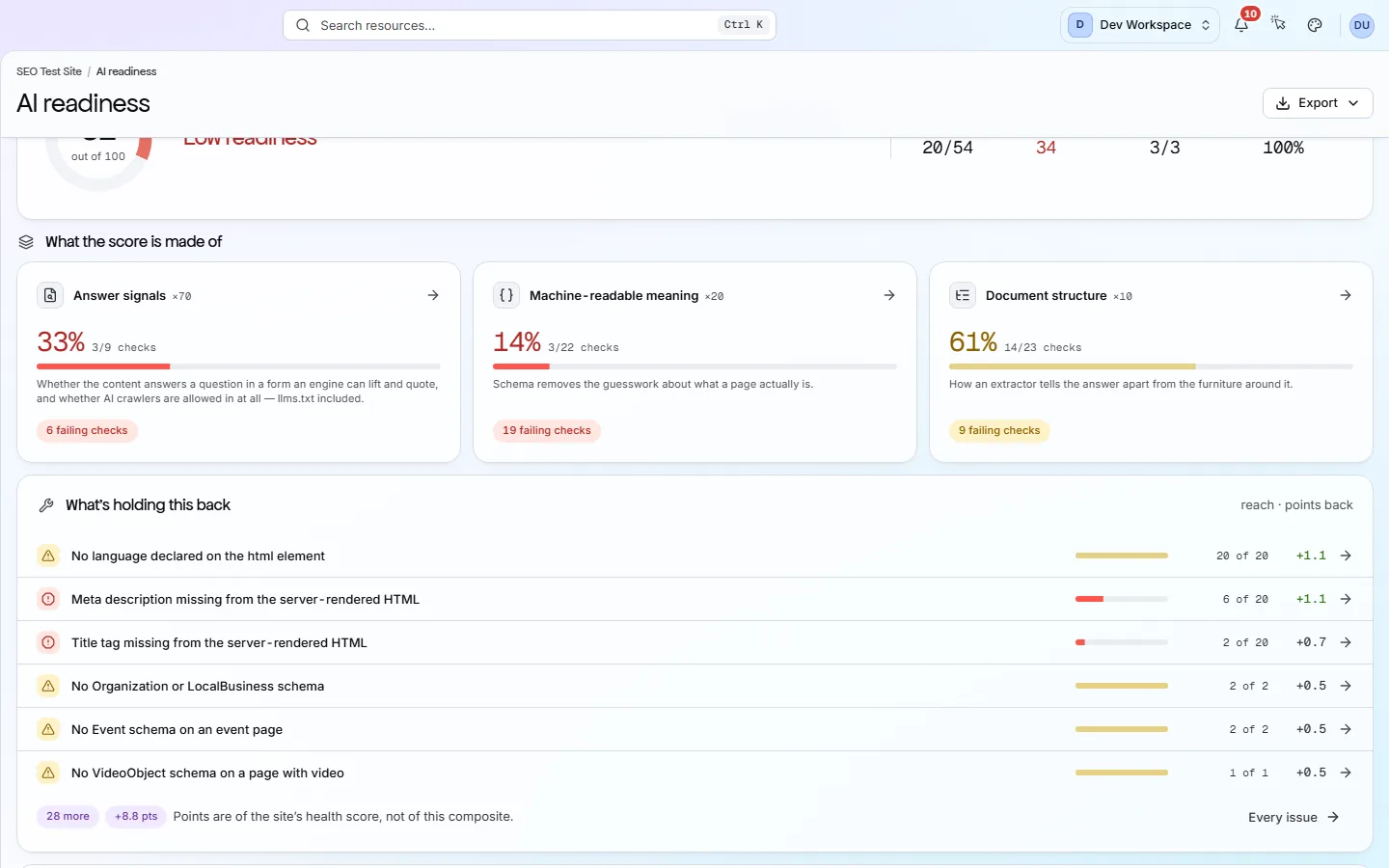
What's holding this back ranks up to six failing checks from the three groups. Each row shows the check's severity, its reach (how many pages it affects, or “site-wide”), and how many health score points fixing it would give back. Press Every issue to see the full list.
llms.txt is checked, not just found#
llms.txt is a plain-text file at the root of your site that points AI tools to your most useful pages.
PixyScan fetches llms.txt and llms-full.txt from your site. It raises a finding if either file is missing, if llms.txt does not follow the llms.txt format, or if it links to pages that do not load.
Crawled pages missing from llms.txt are only a suggestion. They cost no points.
It does not predict whether AI will quote you
The bottom of this screen shows which AI crawlers your robots.txt (the file that tells crawlers which paths to skip) lets in. The same grid, with more detail, is on Crawlability → robots.txt.
Does something here not match what you see in the app? Tell us