

User guide3 min
Social
The Social screen shows how your pages look when someone shares a link on LinkedIn, Facebook, Slack or X. Start with the Would render blank tile. Those pages share with no picture at all.
How to get there#
Social is in the Explore group of the site sidebar, after Schema.
- 1
Open Social in the sidebar
Open the site, then choose Social under Explore.
- 2
Click a tile or a band
The Table tab opens with only those pages. For example, Would render blank lists just the pages that share with no image.
- 3
Open a page to see its preview
Click a URL to open that page's report, then choose its Social tab. It draws the card the way Facebook, LinkedIn, Slack and X would show it.
app.pixyscan.com/w/…/s/…/social
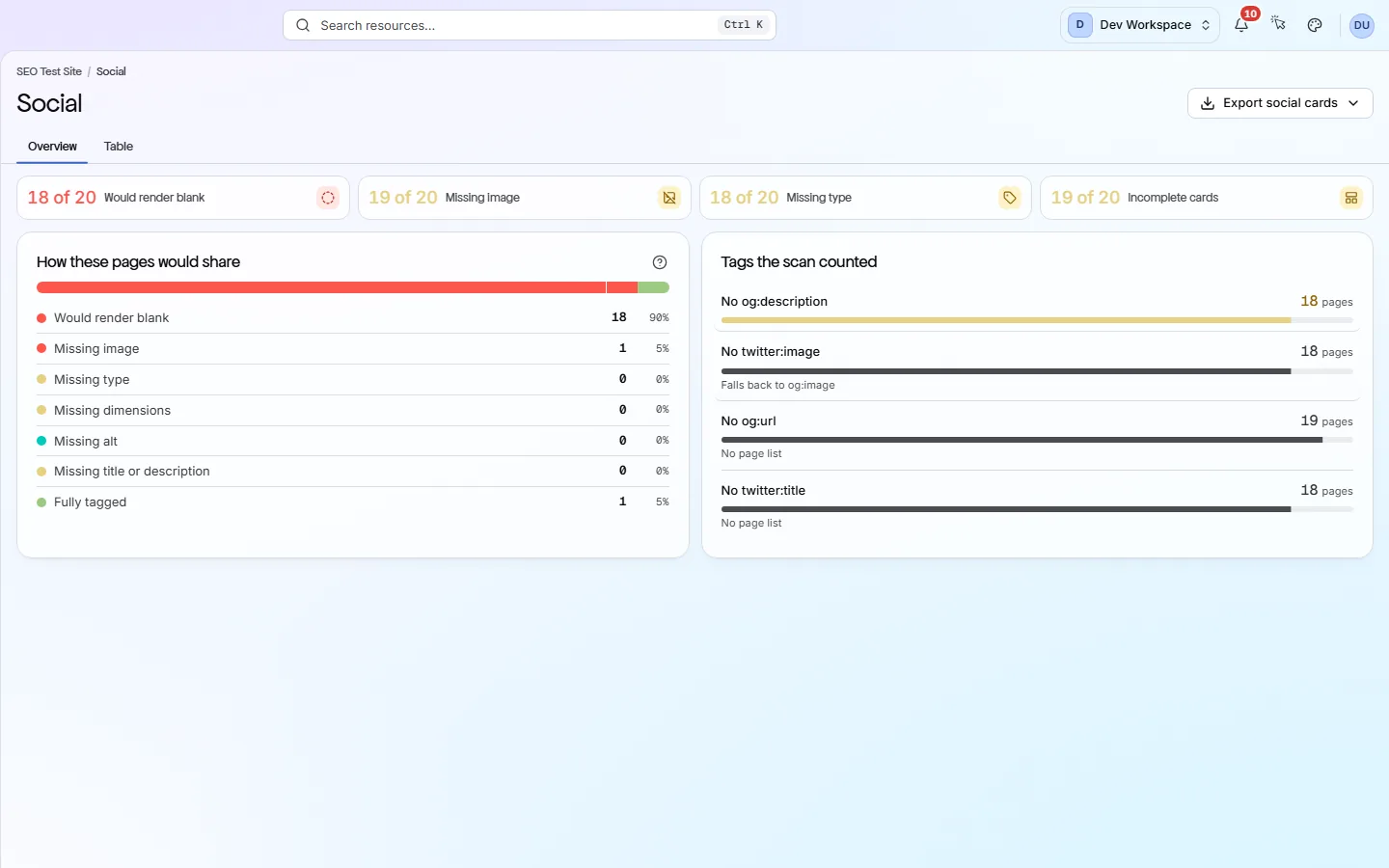
The four tiles#
Open Graph (og:) and Twitter tags are lines in a page's code that set its share card (the title, text and picture people see). The tiles go from most serious to least.
| Field | Example | What it does |
|---|---|---|
| Would render blank | 3 of 71 | No og:image and no twitter:image, so the link shares with no picture. Fix these first. |
| Missing image | 3 of 71 | No og:image. Facebook, LinkedIn and most other sites use this picture, even if the page has a twitter:image. |
| Missing type | 21 of 71 | No og:type, the tag that says what kind of page it is, such as website or article. |
| Incomplete cards | 71 of 71 | At least one recommended tag is missing. This number is often high and rarely urgent on its own. |
A tag that is there but empty counts as missing.
The two cards#
One card shows how pages would share. The other shows which tags are missing.
| Field | Rows | What it does |
|---|---|---|
| How these pages would share | Seven states | Would render blank, Missing image, Missing type, Missing dimensions, Missing alt, Missing title or description, and Fully tagged. Each page is counted once, under its worst problem. Click a band to list those pages. |
| Tags the scan counted | One row per tag | How many pages lack og:description, twitter:image, og:url and twitter:title. A missing twitter:image matters less, because X falls back to og:image. |
Missing dimensions can wait
The Table tab lists every page with its title, image size, og:type and Twitter card type. Expand a row to see every Open Graph and Twitter tag exactly as the page has it.
Export social cards downloads every page as CSV, Excel or JSON. Exports are included from Hobby up.
Does something here not match what you see in the app? Tell us