

User guide4 min
Run a scan
A scan is one full check of your site. PixyScan visits your pages and runs every check on each one. Press Scan now at the top of the site sidebar to start. It runs on our servers, so you can close the tab. You get an alert when it finishes.
Press Scan now#
The Scan now button sits at the top of the site sidebar, on every screen of that site.
- 1
Open the site
Click the site's card on the workspace overview, or choose it from the Sites list in the workspace sidebar.
- 2
Press Scan now
The scan starts at once.
Asked about a partial scan? Your credits left, or your tier's pages-per-scan limit, are smaller than the site. A partial scan checks the pages it covers in full. The score describes only those pages.
Seeing Add credits instead? You have no credits left. Add some to start the scan.
- 3
Carry on with something else
The scan runs on our servers, not in your browser. Closing the tab, signing out or losing your connection does not stop it.
| Field | Where it goes | What it does |
|---|---|---|
| Scan specific URLs… | A dialog | Checks only the pages you paste in (up to 20, all on the site's own domain). It does not follow links. Use it to re-check a few pages you just fixed. Each URL still uses one credit. |
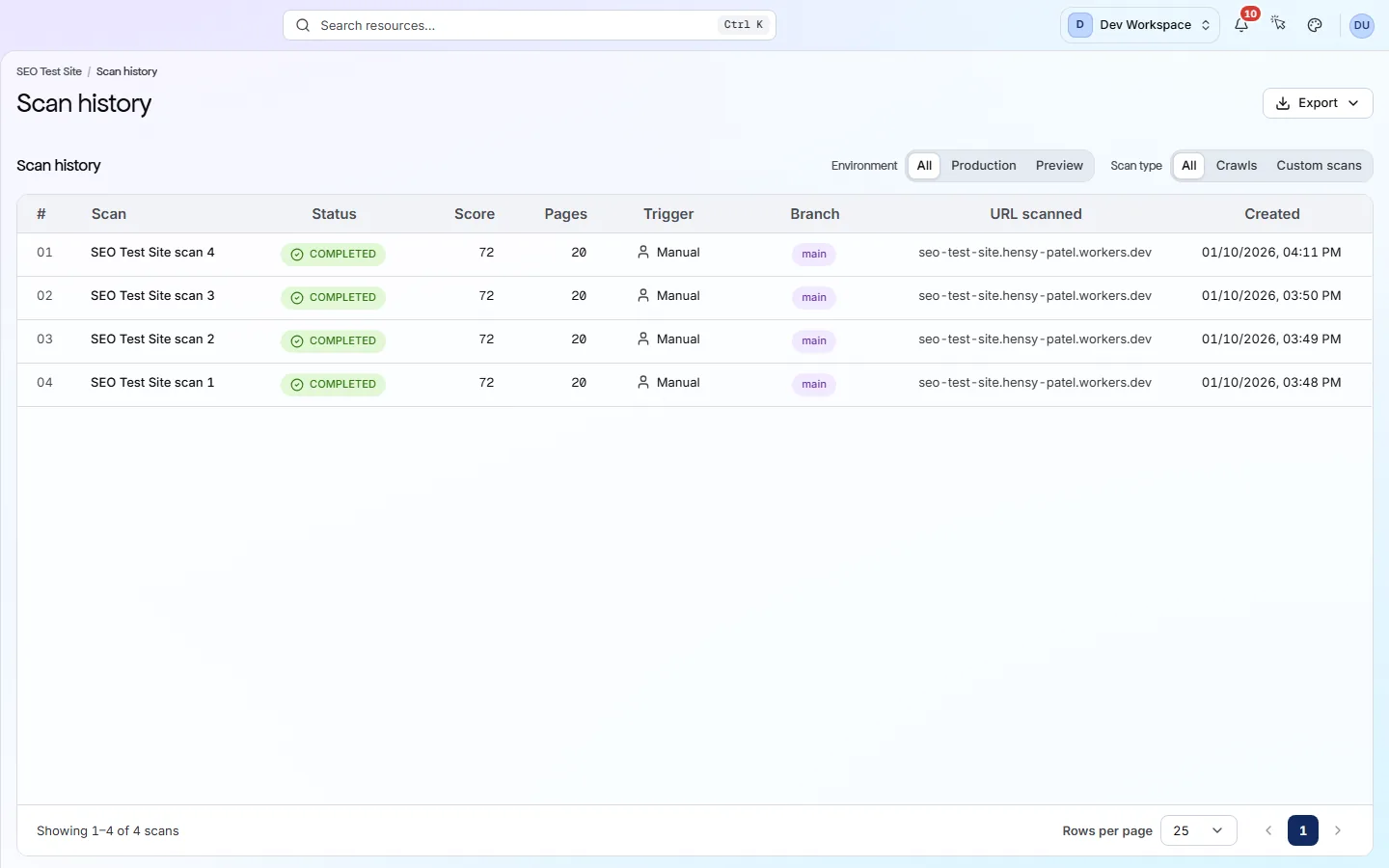
| View scan history | Scan history | Opens the list of every scan this site has run. |
| Schedule scans | Settings → Schedule | Opens the schedule, where the site can scan itself daily, weekly or monthly. Included from Hobby up. |
What happens while it runs#
PixyScan first fetches your pages, then runs every check against each one.
The crawler starts at your site URL and reads your robots.txt file (the file that tells crawlers where they may go). Then it follows your sitemap (your list of pages) and the links on each page.
It stops when it has found every page it may reach, or hits the page budget. Every page is tested against all the checks your tier includes.
- Scans at once per site
- One
- If you close the tab
- The scan continues
- When it finishes
- You get an alert
While a scan runs, the Scan now button changes to Cancel scan. Each site runs one scan at a time.
What happens if I cancel? PixyScan asks you to confirm, because a cancelled scan cannot be resumed. Pages already checked are kept. Credits for pages it never reached are given back.
A cancelled scan has no health score and no site-wide checks, because both need a full crawl. The site keeps the score from its last completed scan.
Why a scan can take a while
When it finishes#
A finished scan gives you a health score, a list of issues and a record of the run.
PixyScan adds a Scan completed alert to the bell. It also emails the site's members and the workspace's admins. A failed scan is announced the same way.
The email is on by default. To turn it off, or add Slack or a webhook, use the Alerts tab of the site's Settings.
Then open the Overview to see your health score out of 100. The Issues screen lists every problem, with the most valuable fix at the top. The next pages explain both.
app.pixyscan.com/w/…/s/…/scans
Your first scan is a starting point#
Comparisons need at least two scans, so the second scan is where tracking begins.
Your first scan shows what needs fixing today. From the second scan on, PixyScan compares each scan with the one before. You see which problems are new, fixed or still open, and how your score moved.
The easiest way to get regular scans is a schedule. It runs scans for you. Included from Hobby up. Set up a schedule
Read the issues, not just the score
Does something here not match what you see in the app? Tell us