

User guide3 min
Structure
The Structure screen shows the shape of your site. See which sections hold the most pages, how many clicks each page is from the homepage, and your folders drawn three ways.
How to get there#
Structure is in the Explore group of the site sidebar, after Social.
- 1
Open Structure in the sidebar
Open the site, then choose Structure under Explore.
- 2
Start on Overview, then pick a drawing
The tab you pick is saved in the address. A link you share opens the same view for your colleague.
app.pixyscan.com/w/…/s/…/structure
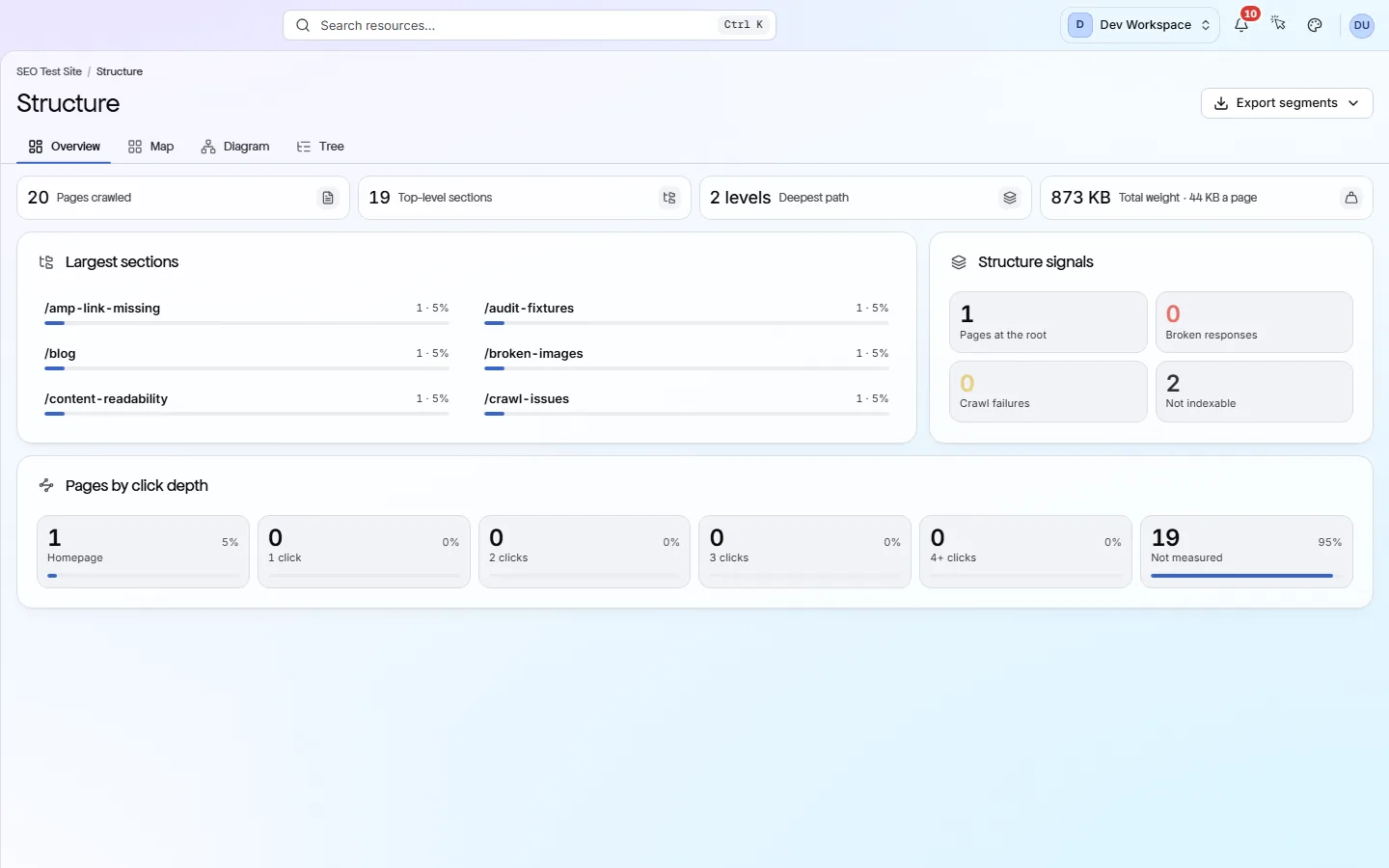
What the Overview shows#
Four figures, then three cards.
| Field | Shows | What it does |
|---|---|---|
| Pages crawled | Count | How many pages the scan reached. |
| Top-level sections | Count | How many first-level folders your URLs fall into, such as /blog or /products. |
| Deepest path | N levels | The most folders any URL sits inside, counted from the address. A long path is not a problem on its own. |
| Largest sections | Top six | The six sections with the most pages, and their share of the site. Click a name to open it on the Map, or its count to list its pages. |
| Pages by click depth | Homepage to 4+ clicks | How many pages sit at each number of clicks from the start URL. Pages found only in your sitemap (your list of pages for search engines) have no click depth. They show as Not measured. |
| Structure signals | Four counts | Pages at the root, Broken responses (4xx and 5xx errors, such as page not found), Crawl failures, and pages that are Not indexable (kept out of search). |
The four tabs#
A summary, then three drawings of the same folders.
| Field | Answers | What it does |
|---|---|---|
| Overview | Does the shape make sense? | The figures and cards above. |
| Map | Where are most pages? | Boxes sized by page count. Use Colour by to shade them by Depth, Section or Crawl result. Click a box to zoom in. |
| Diagram | How does it branch? | Folders as connected boxes, drawn Down or Across. You can zoom, expand every branch, and use View full screen when presenting. |
| Tree | What is in each folder? | Folders as rows you can expand, each with click depth, health, weight and share of the site. Click a page row to open its page report. |
Map
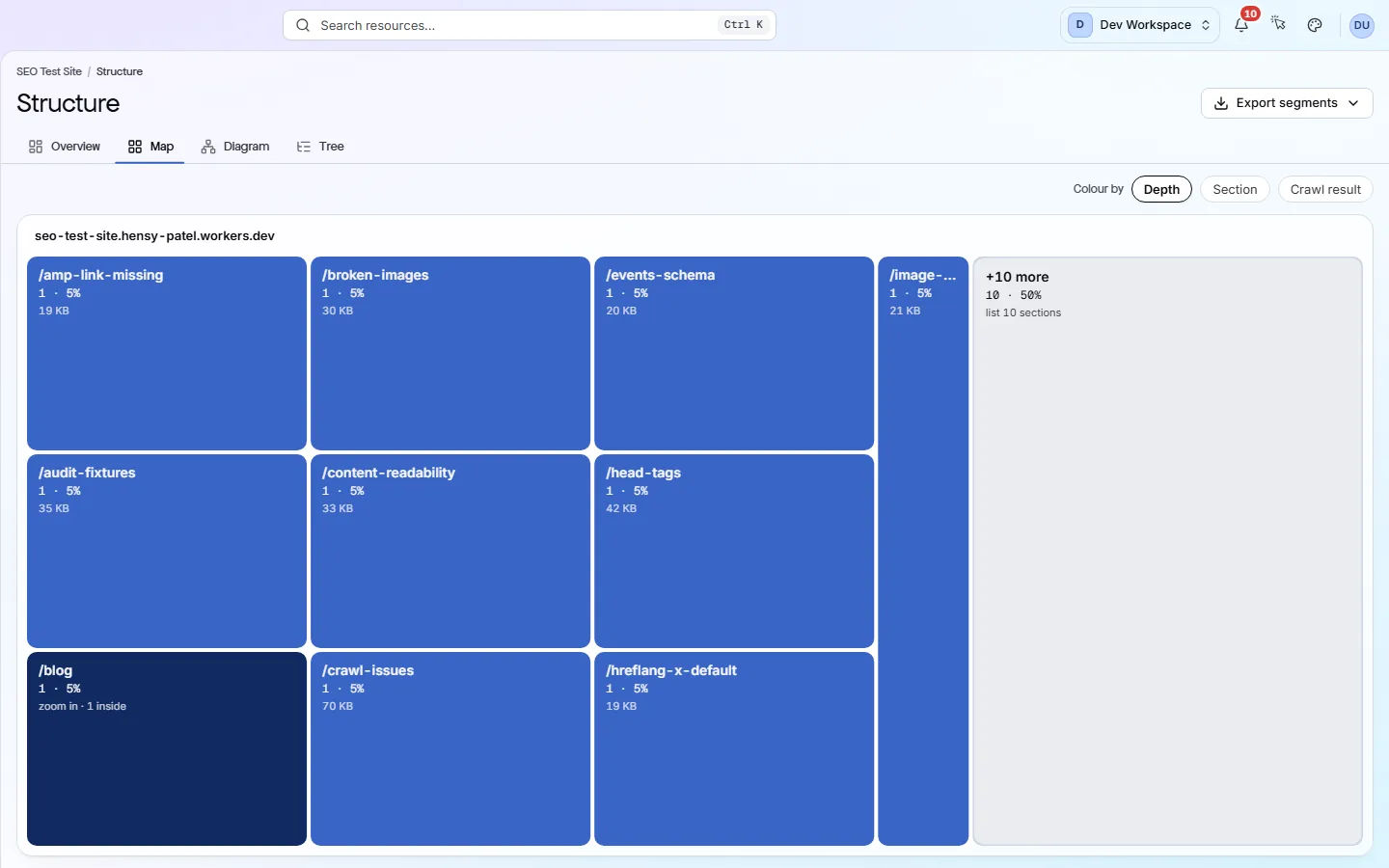
Why don't I see every page? On a large site, the drawings use the first 2,000 URLs, and a badge tells you so.
Why click depth matters#
Search engines find pages many clicks from the homepage later, or not at all.
Click depth is how many links a crawler follows from your start URL to reach a page. Try to keep important pages within three clicks.
If a large section is four clicks or more away, link to it from your homepage, your main menu or a hub page.
Two kinds of depth
To see the links themselves, including broken ones, open Links.
Does something here not match what you see in the app? Tell us