

User guide4 min
Crawlability
The Crawlability screen shows what search engines and AI crawlers can reach on your site, and what your site tells them. It covers robots.txt, sitemaps, redirects, each page's indexing rules and your language tags.
How to get there#
Crawlability is in the Explore group of the site sidebar, after Structure.
- 1
Open Crawlability in the sidebar
Open the site, then choose Crawlability under Explore.
- 2
Start on Overview
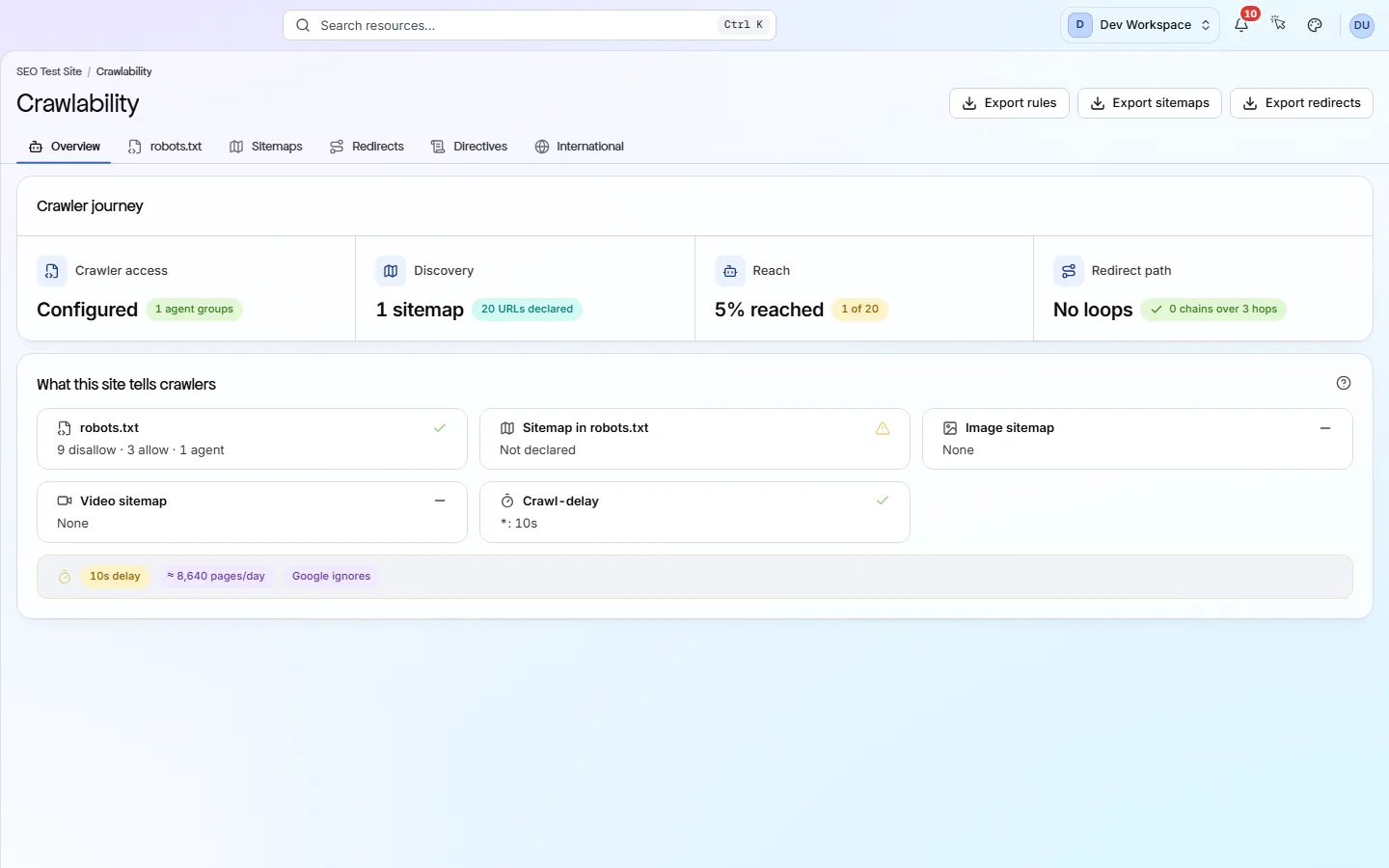
The Crawler journey card shows four steps in the order a crawler meets them: Crawler access (robots.txt), Discovery (sitemaps), Reach (how much of your sitemap the scan reached) and Redirect path (loops and long chains). Click a step to open its tab.
- 3
Fix the steps from left to right
A problem early on hides the ones after it. For example, if robots.txt blocks everything, the sitemap figures mean nothing.
app.pixyscan.com/w/…/s/…/crawlability
The six tabs#
A summary, then one tab for each thing a crawler reads.
| Field | Answers | What it does |
|---|---|---|
| Overview | Can crawlers get around? | The crawler journey, plus what your site tells crawlers: whether robots.txt loads, whether it names a sitemap, image and video sitemaps, and any Crawl-delay (a request to wait between fetches). |
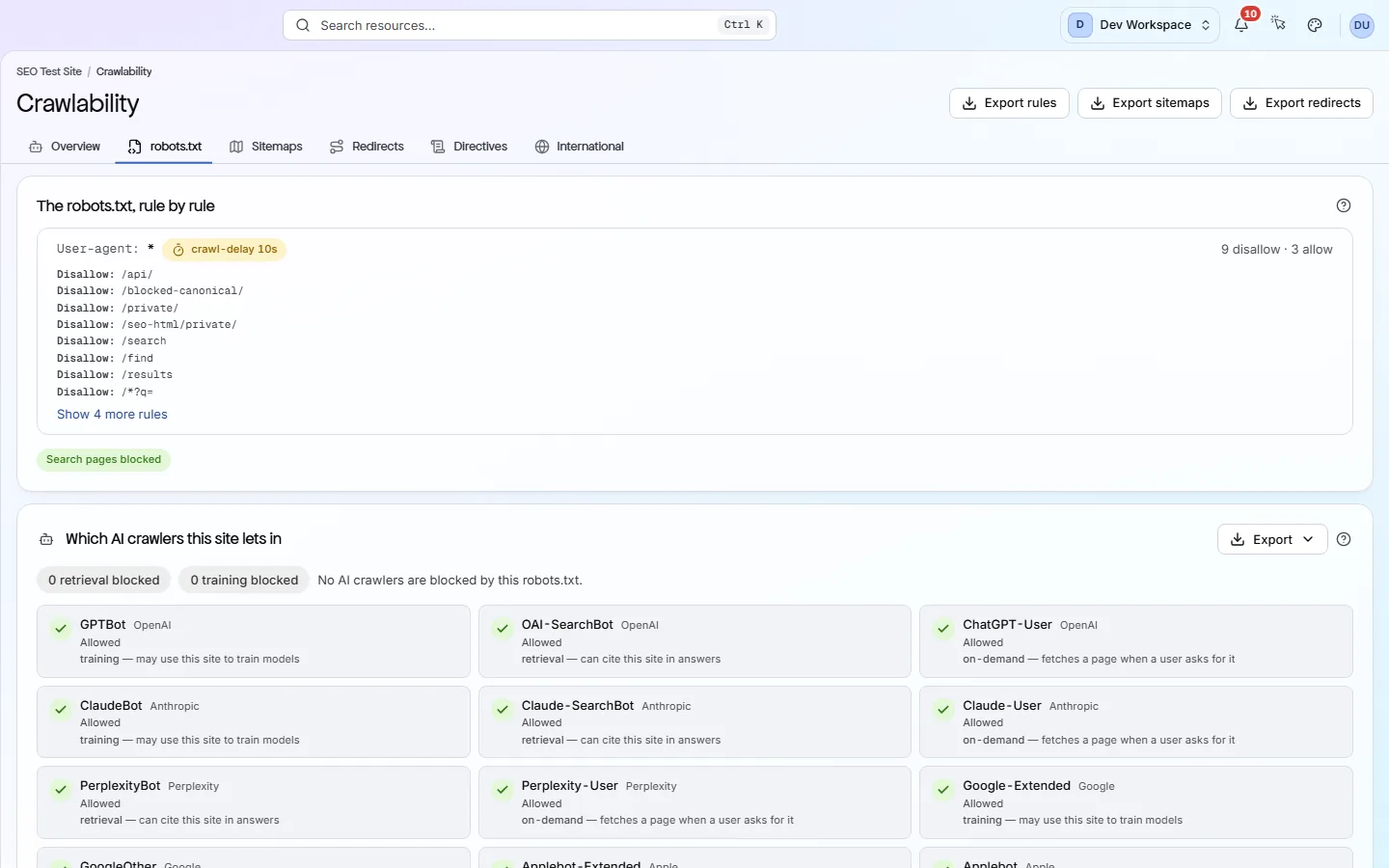
| robots.txt | Who is allowed in? | Your robots.txt (the file that tells crawlers which paths to skip), rule by rule, grouped by user agent (the crawler's name). Below it, each known AI crawler is marked Allowed, Blocked, or Blocked by the wildcard rule. |
| Sitemaps | What did you list? | Each sitemap file (your list of pages for search engines), how many URLs it lists, how many the scan reached, and how many have a lastmod (last changed) date. |
| Redirects | Where do pages send you? | Redirect chains, loops, chains over three hops and the longest chain. Split into redirects inside your site and pages that send visitors to other sites. |
| Directives | What does each page say? | Each page's canonical URL (the version you want in search), X-Robots-Tag and noindex (a request to stay out of search), whether it is indexable, and whether robots.txt allows it. Other views cover head tags, link tags, canonical faults and pagination faults. |
| International | Which language, for whom? | Your hreflang tags (which version of a page to show for each language or region), the x-default (the fallback version), whether each alternate links back, and any invalid language codes. |
robots.txt
AI crawlers#
PixyScan knows 18 AI crawlers from 11 vendors. It reads your robots.txt the way each one would.
| Field | What it does | What it does |
|---|---|---|
| retrieval | Can cite you | Fetches pages so an AI search or answer tool can quote and link to your site. |
| on-demand | Fetches on request | Fetches a page only when a user asks the AI tool about it. |
| training | May train models | Collects pages that may be used to train AI models. |
Choose which AI crawlers to allow
What to look for#
The most useful findings are where your sitemap, robots.txt and redirects disagree.
A sitemap page that robots.txt blocks sends search engines mixed signals. So does a sitemap full of URLs that redirect.
On the Sitemaps tab, compare “listed” with “reached” for each file. Many URLs never reached usually means the file lists old or blocked addresses.
A Crawl-delay of 10 seconds or more is flagged. It limits how many pages a crawler can fetch in a day, and Google ignores it anyway.
The header offers Export rules, Export sitemaps, Export redirects or Export hreflang, depending on the tab. Exports are included from Hobby up. To fix a problem, find the matching finding and its fix guide on Issues.
Does something here not match what you see in the app? Tell us